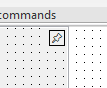
I created a component with a separate
TLabel instance, which I assign a position and size relative to the component's dimensions using this function:
procedure TSlidingPanel.UpdateButtonPos;
begin
  case FSlideBorder of
    sbLeft:   Lbl.SetBounds(Width - FTitleSize{ - 4}, 0, FTitleSize, FTitleSize);
    sbRight:  Lbl.SetBounds(0, 0, FTitleSize, FTitleSize);
    sbTop:    Lbl.SetBounds(0, Height - FTitleSize{ - 4}, FTitleSize, FTitleSize);
    sbBottom: Lbl.SetBounds(0, 0, FTitleSize, FTitleSize);
  end;
end;
The problem is that on one computer, an offset is required (in the commented code above), while on the other, no offset is needed. Both computers have the same CT version, the same set of components, and everything else seems identical except for the OS build (even though they are both the same version, Windows 10 64-bit).
The component looks like this if the offset is not done on the computer where it is needed:
And this is what it looks like if the offset is successful (and this is exactly how it should always look):
I'd like to understand where to look for the cause of this strange behavior.