Welcome, Guest
Username: Password: Remember me
Lab CT Version, news, test results, new features request and suggestions
  • Page:
  • 1
  • 2

TOPIC:

CT LAB ver 8.90 3 months 7 hours ago #19323

  • Matis A.
  • Matis A.'s Avatar
  • Offline
  • Moderator
  • Moderator
  • Posts: 1373
  • Thank you received: 216
Please give us more info
PilotLogic Core Programmer

Please Log in or Create an account to join the conversation.

CT LAB ver 8.90 2 months 4 weeks ago #19324

  • LuZZZZi
  • LuZZZZi's Avatar
  • Offline
  • Junior Member
  • Junior Member
  • Posts: 115
  • Thank you received: 1
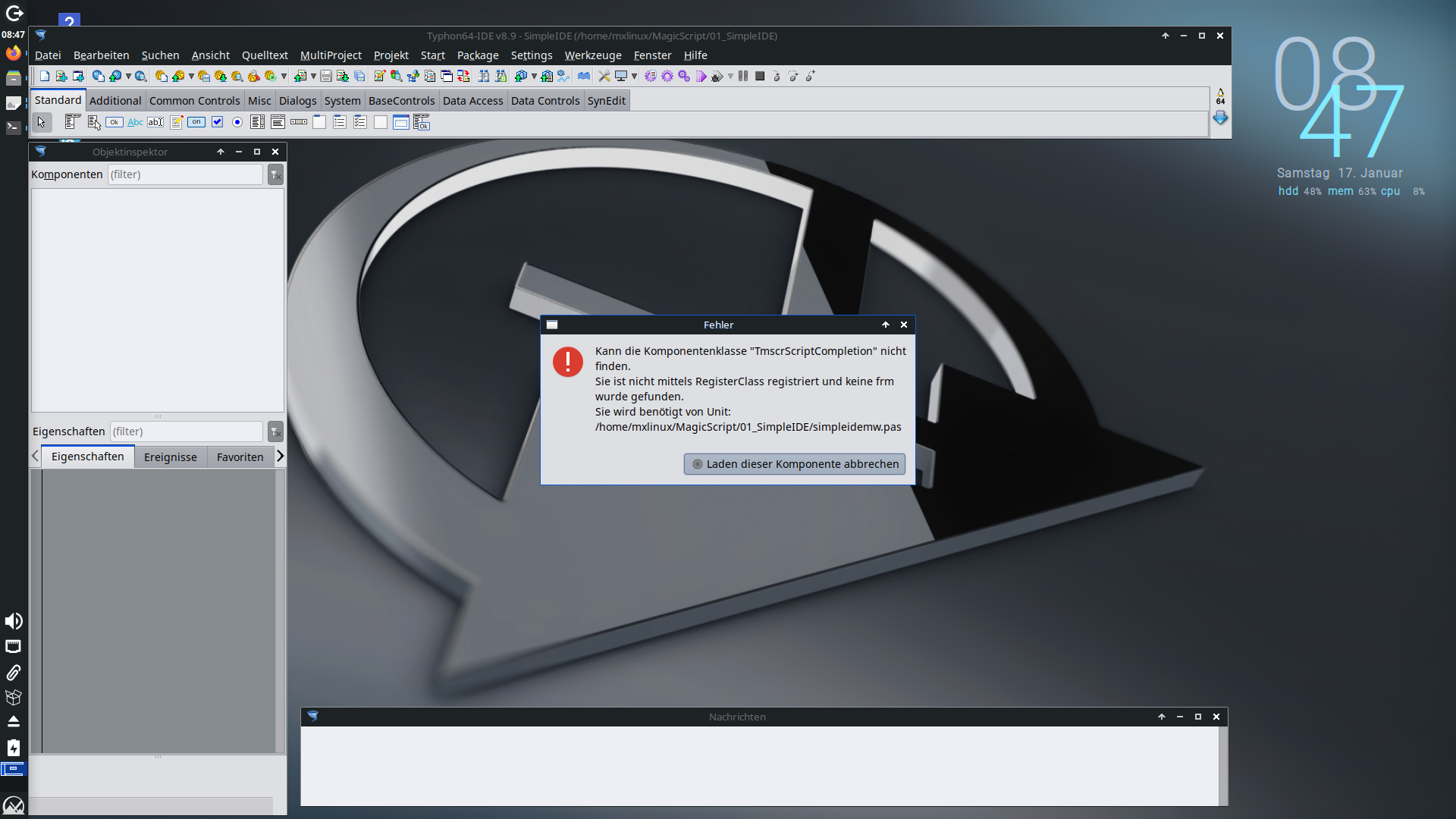
 Here is a screenshot.


A second issue is if I start CT for the first time CT is not open the last project that I have used. It starts a new project. [Sometimes]
 
Attachments:

Please Log in or Create an account to join the conversation.

Last edit: by LuZZZZi.

CT LAB ver 8.90 2 months 4 weeks ago #19325

  • Matis A.
  • Matis A.'s Avatar
  • Offline
  • Moderator
  • Moderator
  • Posts: 1373
  • Thank you received: 216
It's  MX Linux distribution.
Please, give us time to install, test and report.
PilotLogic Core Programmer

Please Log in or Create an account to join the conversation.

CT LAB ver 8.90 2 months 4 weeks ago #19326

  • LuZZZZi
  • LuZZZZi's Avatar
  • Offline
  • Junior Member
  • Junior Member
  • Posts: 115
  • Thank you received: 1
Yes Sir it's MX-Linux.
By the way the key [Alt-F9] combination is also not working.

Please Log in or Create an account to join the conversation.

CT LAB ver 8.90 2 months 4 weeks ago #19327

  • LuZZZZi
  • LuZZZZi's Avatar
  • Offline
  • Junior Member
  • Junior Member
  • Posts: 115
  • Thank you received: 1
Hi guys,

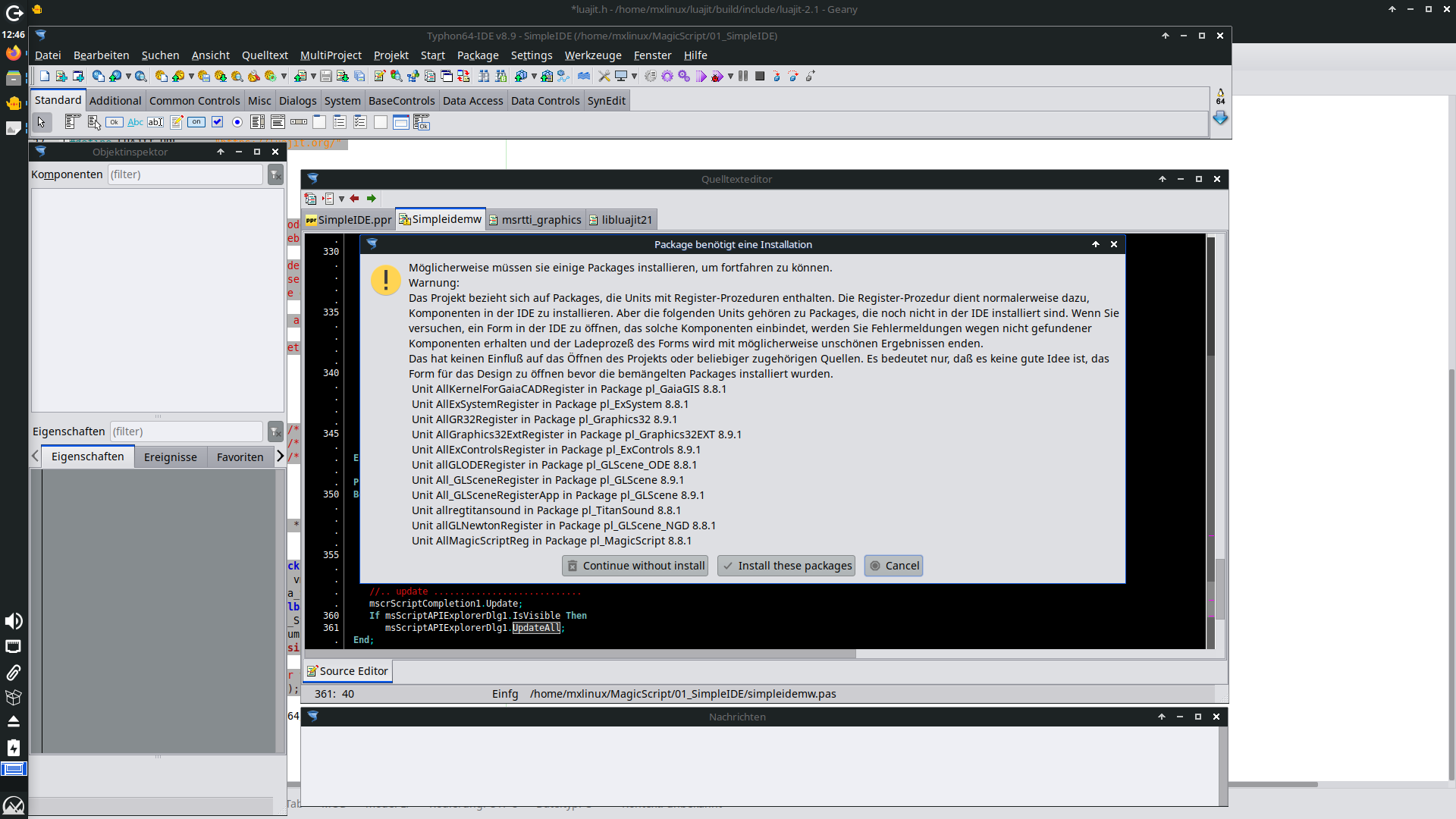
there are some more other issues. If I'm trying to change to design mode I got this message.
 

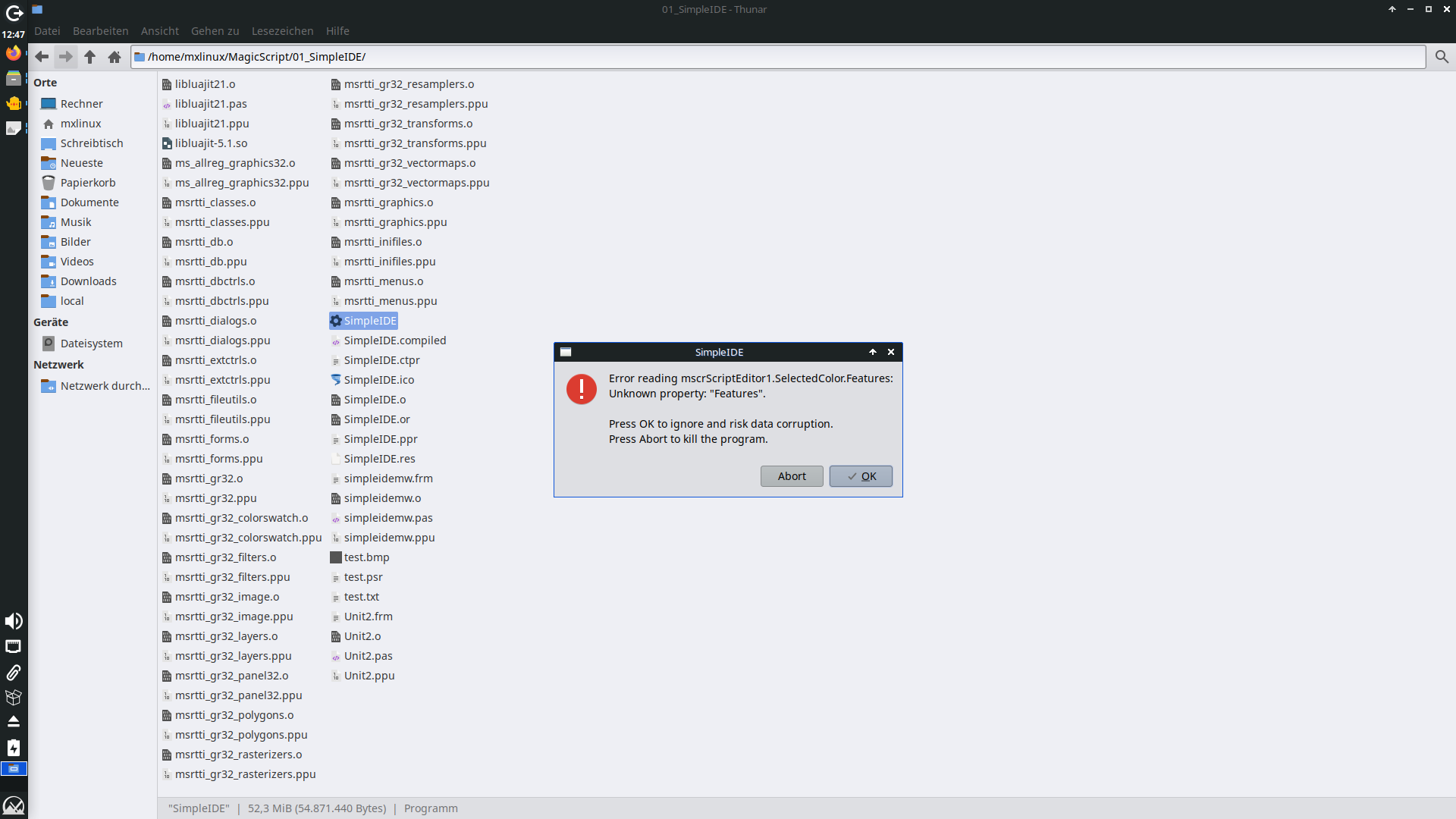
If I'm trying to start the compiled app I got this message.
 

and if I'm trying to compile an run the app I got this error:  Error: /usr/local/codetyphon/fpc/fpc64/bin/x86_64-linux/ppcx64 can't be executed, error message: Failed to execute "/usr/local/codetyphon/fpc/fpc64/bin/x86_64-linux/ppcx64", error code: -9
Attachments:

Please Log in or Create an account to join the conversation.

Last edit: by LuZZZZi.

CT LAB ver 8.90 2 months 3 weeks ago #19330

  • Sternas Stefanos
  • Sternas Stefanos's Avatar Topic Author
  • Offline
  • Moderator
  • Moderator
  • Ex Pilot, M.Sc, Ph.D
  • Posts: 4614
  • Thank you received: 1129
We Release LAB CodeTyphon ver 8.90 Revision 8860

We fix many of above posts problems.
Many new CPU Shaders (160+)
Many new GPU Shaders (500+)

Please test, suggest and report.

And always Have Fun...  
PilotLogic Architect and Core Programmer
The following user(s) said Thank You: LuZZZZi

Please Log in or Create an account to join the conversation.

CT LAB ver 8.90 2 months 3 weeks ago #19331

  • Jan Roza
  • Jan Roza's Avatar
  • Offline
  • Junior Member
  • Junior Member
  • Posts: 201
  • Thank you received: 8
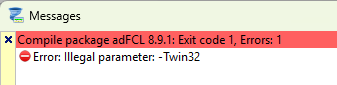
Just upgraded to the latest revision on Windows 11 and it installed without any problems, but opening an existing project I got the following error message (see attachment).
After clicking Ignore the project loaded without problems, but fails to compile (see second attachment).
What is wrong here, I take it that fpc 32-bit and 64-bit are both installed when upgrading?
Operating Systems Windows 11 and Linux Mint (64-bit) and virtual Raspberry Pi Desktop

Please Log in or Create an account to join the conversation.

Last edit: by Jan Roza.

CT LAB ver 8.90 2 months 3 weeks ago #19332

  • Jan Roza
  • Jan Roza's Avatar
  • Offline
  • Junior Member
  • Junior Member
  • Posts: 201
  • Thank you received: 8
Forget my previous message, it was my mistake.
I had started CodeTyphon 64 but opened a Win32 project.
Operating Systems Windows 11 and Linux Mint (64-bit) and virtual Raspberry Pi Desktop

Please Log in or Create an account to join the conversation.

CT LAB ver 8.90 2 months 3 weeks ago #19333

  • Sternas Stefanos
  • Sternas Stefanos's Avatar Topic Author
  • Offline
  • Moderator
  • Moderator
  • Ex Pilot, M.Sc, Ph.D
  • Posts: 4614
  • Thank you received: 1129
Thanks My Friend
Have fun
PilotLogic Architect and Core Programmer

Please Log in or Create an account to join the conversation.

CT LAB ver 8.90 1 month 3 weeks ago #19384

  • Sternas Stefanos
  • Sternas Stefanos's Avatar Topic Author
  • Offline
  • Moderator
  • Moderator
  • Ex Pilot, M.Sc, Ph.D
  • Posts: 4614
  • Thank you received: 1129
We release Final CodeTyphon ver 8.90
have fun...

PS: A BIG THANKS to our LAB Programmers for this CT version.
PilotLogic Architect and Core Programmer

Please Log in or Create an account to join the conversation.

Last edit: by Sternas Stefanos.

CT LAB ver 8.90 1 month 2 weeks ago #19385

  • Jan Roza
  • Jan Roza's Avatar
  • Offline
  • Junior Member
  • Junior Member
  • Posts: 201
  • Thank you received: 8
Thank you all!
Upgraded on Windows 11 and Linux Mint 22.3 without any problems.
Operating Systems Windows 11 and Linux Mint (64-bit) and virtual Raspberry Pi Desktop

Please Log in or Create an account to join the conversation.

CT LAB ver 8.90 1 month 2 weeks ago #19386

  • Matis A.
  • Matis A.'s Avatar
  • Offline
  • Moderator
  • Moderator
  • Posts: 1373
  • Thank you received: 216
Thanks Sir
Have fun ....
PilotLogic Core Programmer

Please Log in or Create an account to join the conversation.

CT LAB ver 8.90 1 month 1 week ago #19391

  • LuZZZZi
  • LuZZZZi's Avatar
  • Offline
  • Junior Member
  • Junior Member
  • Posts: 115
  • Thank you received: 1
Hi guys,

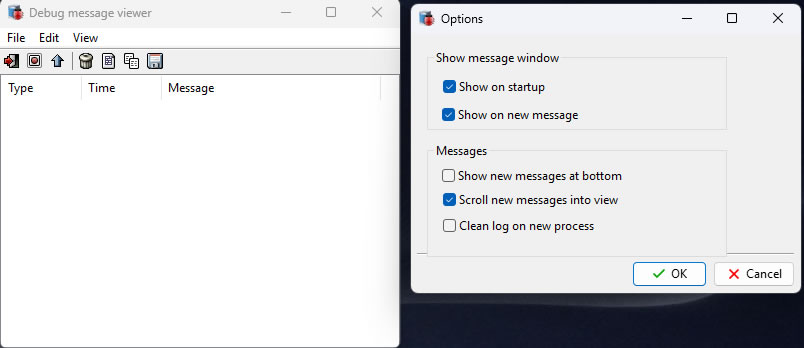
the debugserver app is not working properly. It shows an empty window on win11,x64


Cheers

Please Log in or Create an account to join the conversation.

CT LAB ver 8.90 1 month 1 week ago #19396

  • Matis A.
  • Matis A.'s Avatar
  • Offline
  • Moderator
  • Moderator
  • Posts: 1373
  • Thank you received: 216
Thanks Sir
Give us time to test and fix
PilotLogic Core Programmer

Please Log in or Create an account to join the conversation.

CT LAB ver 8.90 1 month 4 days ago #19429

  • LuZZZZi
  • LuZZZZi's Avatar
  • Offline
  • Junior Member
  • Junior Member
  • Posts: 115
  • Thank you received: 1
Thanks guys,

the warning message is gone away and the amount of components in the palette raises up.

Cheers

Please Log in or Create an account to join the conversation.

CT LAB ver 8.90 2 weeks 2 days ago #19468

  • LuZZZZi
  • LuZZZZi's Avatar
  • Offline
  • Junior Member
  • Junior Member
  • Posts: 115
  • Thank you received: 1
Hi Mr. Matis,

ist possible to integrate the same changes into a CachyOS aarch64 distribution. I got the same errors.

Cheers

Please Log in or Create an account to join the conversation.

CT LAB ver 8.90 2 weeks 6 hours ago #19472

  • LuZZZZi
  • LuZZZZi's Avatar
  • Offline
  • Junior Member
  • Junior Member
  • Posts: 115
  • Thank you received: 1
Hi guys,

I have many problems with the CachyOS.
 

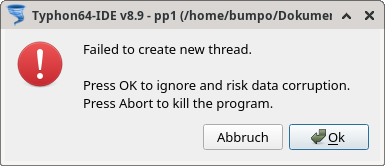
This happens if I'm trying to compile my sources


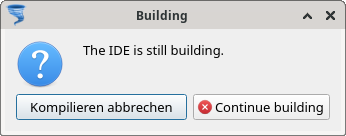
If I'm trying to close CT then this happens

Are you able to handle this issues?

Cheers
Attachments:

Please Log in or Create an account to join the conversation.

Last edit: by LuZZZZi.

CT LAB ver 8.90 1 week 4 days ago #19476

  • Matis A.
  • Matis A.'s Avatar
  • Offline
  • Moderator
  • Moderator
  • Posts: 1373
  • Thank you received: 216

Hi guys,

the debugserver app is not working properly. It shows an empty window on win11,x64


Cheers

Thanks Sir
We fix this

 
PilotLogic Core Programmer
Attachments:

Please Log in or Create an account to join the conversation.

CT LAB ver 8.90 2 days 20 hours ago #19480

  • LuZZZZi
  • LuZZZZi's Avatar
  • Offline
  • Junior Member
  • Junior Member
  • Posts: 115
  • Thank you received: 1
It seems to be an issue of the CachyOS system. I have tried to install Lazarus and I have gotten the same behavior as with CT.


Cheers

Please Log in or Create an account to join the conversation.

CT LAB ver 8.90 2 days 17 hours ago #19481

  • Matis A.
  • Matis A.'s Avatar
  • Offline
  • Moderator
  • Moderator
  • Posts: 1373
  • Thank you received: 216
We fix this Sir
Please wait for LAB CT ver 9.00

ETA: 1-5 days, if all are OK ...
PilotLogic Core Programmer
The following user(s) said Thank You: LuZZZZi

Please Log in or Create an account to join the conversation.

  • Page:
  • 1
  • 2