Welcome, Guest
Username: Password: Remember me
CodeTyphon Android Development, LAMW, etc, discussions and problems
  • Page:
  • 1

TOPIC:

I have found ready to use solution on how to pack the application to *.APK file. 11 months 1 day ago #19007

  • Ak.Saharov
  • Ak.Saharov's Avatar Topic Author
  • Offline
  • Junior Member
  • Junior Member
  • Posts: 54
  • Thank you received: 4
I have read this wiki article "Cross-build for Android".

pilotlogic.com/sitejoom/index.php/wiki/1...als/cross-build.html

In the end of it, it is said that
"For Deploy your new application, or how to pak your app to *.APK file,
Please seach to the web..."

I have started to search to the web...

On SourceForge.net I have found ready to use example made by Key-Real.

He is from Hamburg, Germany.

He made Pascal program for Android Camera.

!!!With Android permissions granted for Camera and Storage!!!.

Here is the link.

sourceforge.net/p/nativeandroidcamera/code/ci/master/tree/


I think, I have found out some main ideas of this example: 

1. Pascal program must be library unit to create .so file.

2. Because .so file is library in Android.

3. As library unit program must have external function to import.

4. To start the application on Android device the external function of the .so file must be set as application.MainActivity in Manifest file for Android.

5. After producing .so file it has to be copied into "lib" folder of Android application template given by the author.


I think, that this example could be used as Template to create any other Pascal application for Android.

Because:

1. The author has created all folders requried to create APK with Manifest file. 

2. The author has created ready to use build-script to create signed APK and sign it.


Script named doit can be found in the root folder!


All you need is to change the content in the folders of the APK template. 

sourceforge.net/p/nativeandroidcamera/code/ci/master/tree/apk/


And run the script named doit.

I think, it is great!

Author done well!
The following user(s) said Thank You: choki

Please Log in or Create an account to join the conversation.

I have found ready to use solution on how to pack the application to *.APK file. 9 months 2 weeks ago #19064

  • Ak.Saharov
  • Ak.Saharov's Avatar Topic Author
  • Offline
  • Junior Member
  • Junior Member
  • Posts: 54
  • Thank you received: 4
Because of apk file in repository is broken, in attach there is ready to use apk. 

It works on my Android 12. 

Install it, close it after installation, do not open, then launch it again.

Of course, this example could be better if there were Forms and buttons added.

To manage camera.

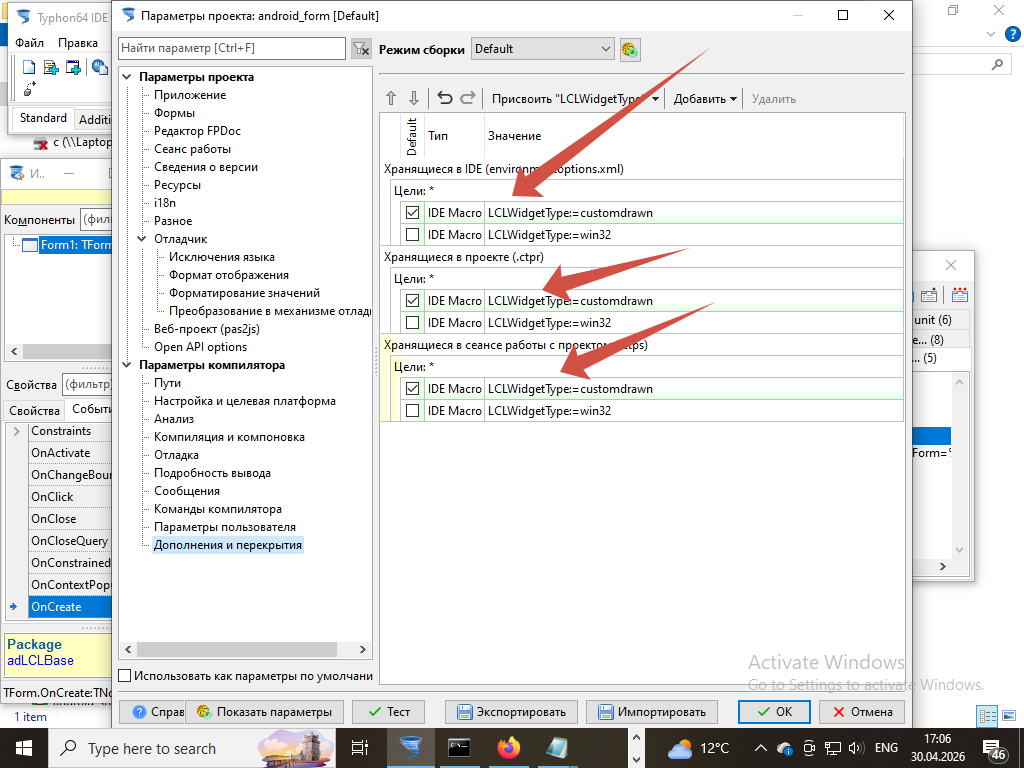
In such case, I think, the library file .so for Android should be compiled with LCLWidgetType=customdrawn as it support Android graphics.

And OpenGLES30.pas library could be replaced with OpenGL components.

File Attachment:

File Name: myapp.zip
File Size:1,899 KB
Attachments:

Please Log in or Create an account to join the conversation.

I have found ready to use solution on how to pack the application to *.APK file. 9 months 2 weeks ago #19065

  • Ak.Saharov
  • Ak.Saharov's Avatar Topic Author
  • Offline
  • Junior Member
  • Junior Member
  • Posts: 54
  • Thank you received: 4
If you have troubles with building apk file, you can use the apk file from attach in previous message.

1. Change extension of myapp.apk file to myapp.zip.

2. Open it with any unzip application. I use WinRar.

3. Go to lib folder inside archive.

4. Replace library files .so in folder arm64-v8a for Android 64 and in folder armebi-v7a for Android 32.

5. Save changes to archive and close it.

6. Change back extension from myapp.zip to myapp.apk.

7. Sign modified apk with any apk manager. I use MT Manager.


Notice while changing code in mynativeapplication.pas library file do not touch the names of exported function.
 
These function are required for Java and Android to launch the app.

The link to the mynativeapplication.pas library file is still active. 
Here it is.
sourceforge.net/p/nativeandroidcamera/co...mynativeapplication/


Key-real, the author of the project, really done well!


Please Log in or Create an account to join the conversation.

I have found ready to use solution on how to pack the application to *.APK file. 8 months 3 weeks ago #19087

  • Ak.Saharov
  • Ak.Saharov's Avatar Topic Author
  • Offline
  • Junior Member
  • Junior Member
  • Posts: 54
  • Thank you received: 4
I have found the old way to create Android apk from Lazarus project. 
The same technology: apk template, library and java launcher.

The difference is that Forms and LCL Controls are included and work.
Take a look to this article.wiki.lazarus.freepascal.org/Custom_Drawn_Interface/Android

In this article instructions are given.

The sample code of the library and Android apk template you can find in the old versions of Lazarus IDE.


I think the sample from old Lazarus IDE will work.
Because it is the same technology as sample of native_android_camera mentioned above. With Forms and Controls from LCL included.


Please Log in or Create an account to join the conversation.

Last edit: by Ak.Saharov.

I have found ready to use solution on how to pack the application to *.APK file. 7 months 2 weeks ago #19149

  • Ak.Saharov
  • Ak.Saharov's Avatar Topic Author
  • Offline
  • Junior Member
  • Junior Member
  • Posts: 54
  • Thank you received: 4
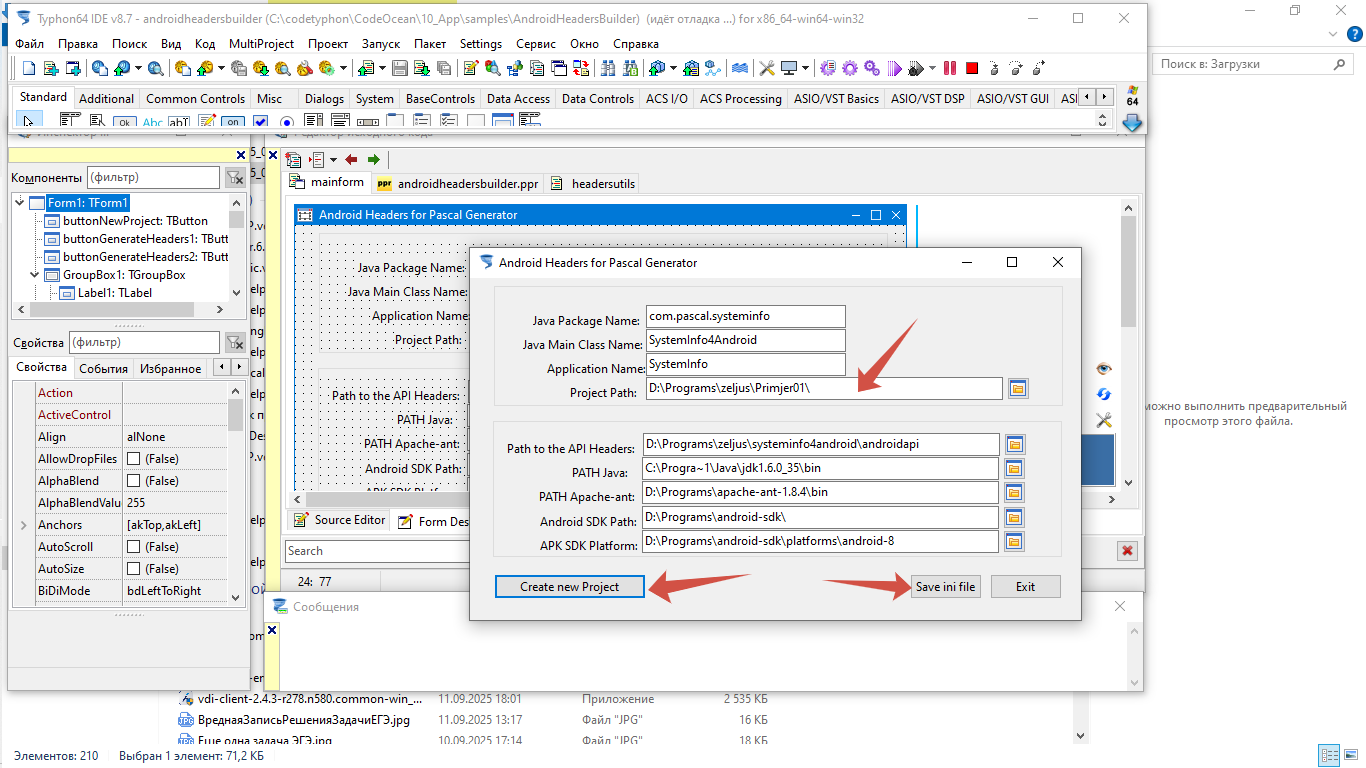
There many examples in CodeOcean.

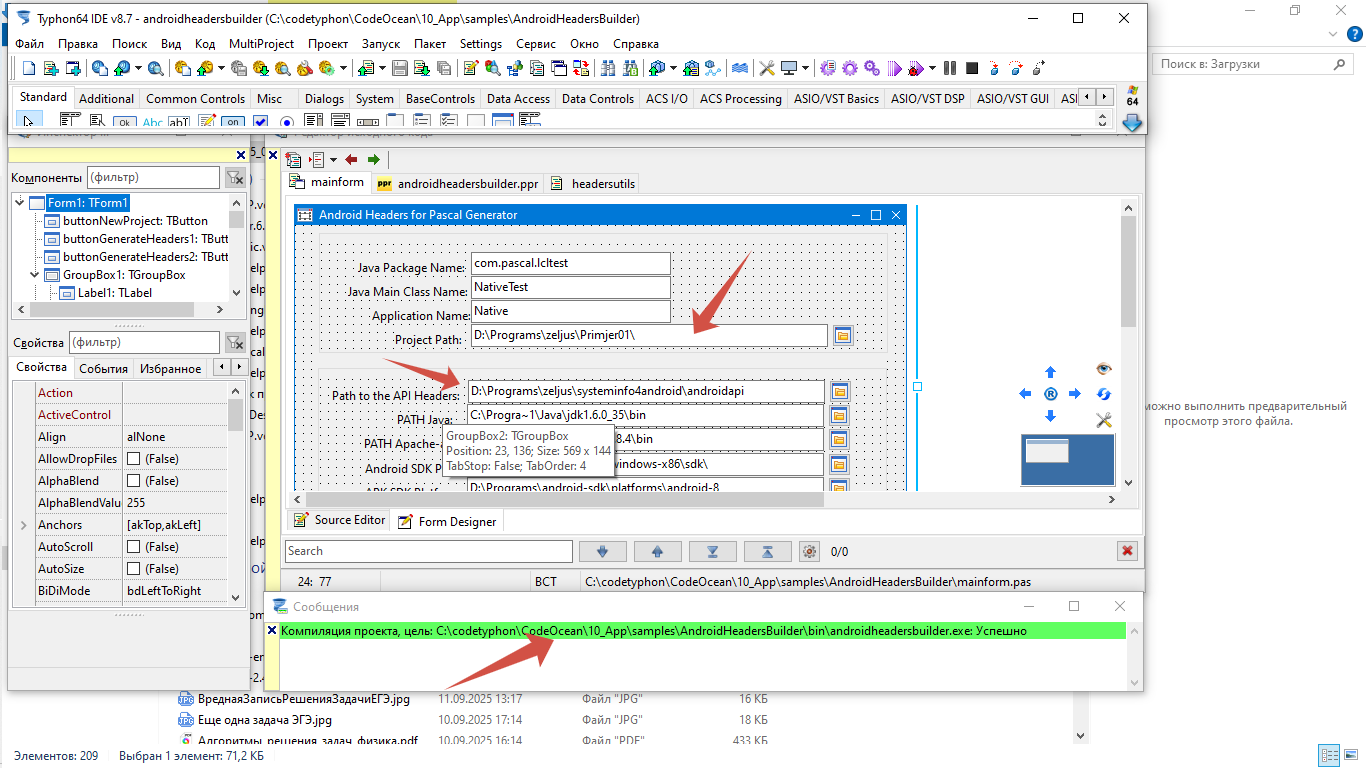
I have found the CT app to pack the library .so into Android .apk file.
My directory is path C:\codetyphon\CodeOcean\10_App\samples\AndroidHeadersBuilder

I have opened and compiled this project.
I have run it and created the Template for Android .apk file.
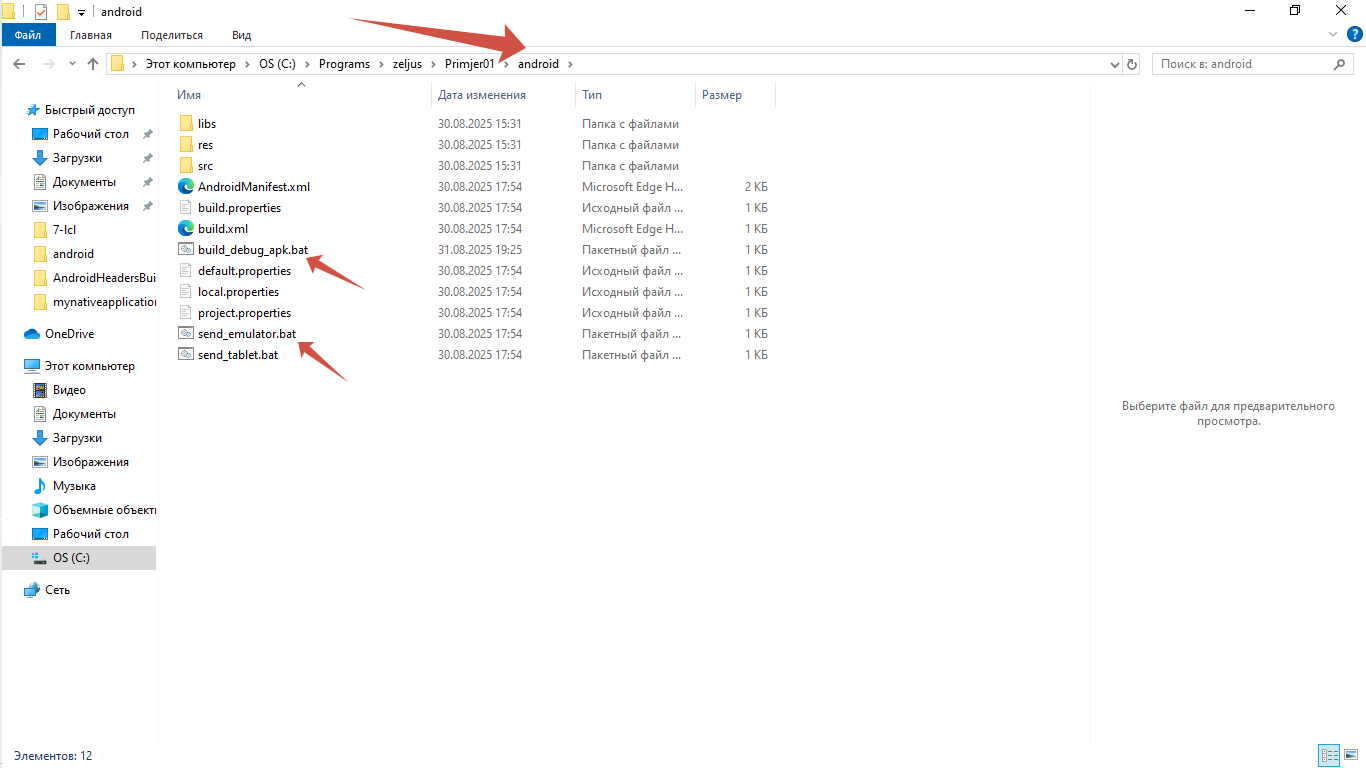
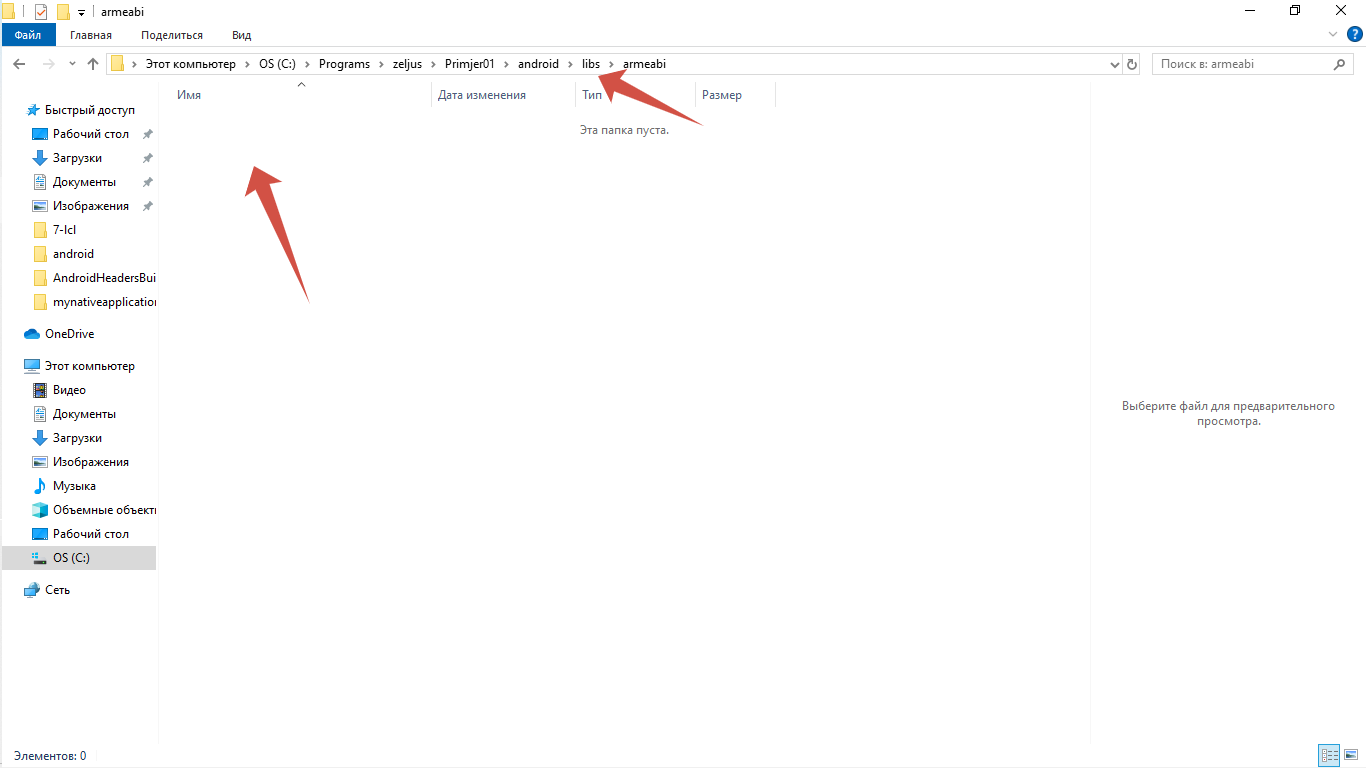
To my directory path C:\Programs\zeljus\Primjer01\android

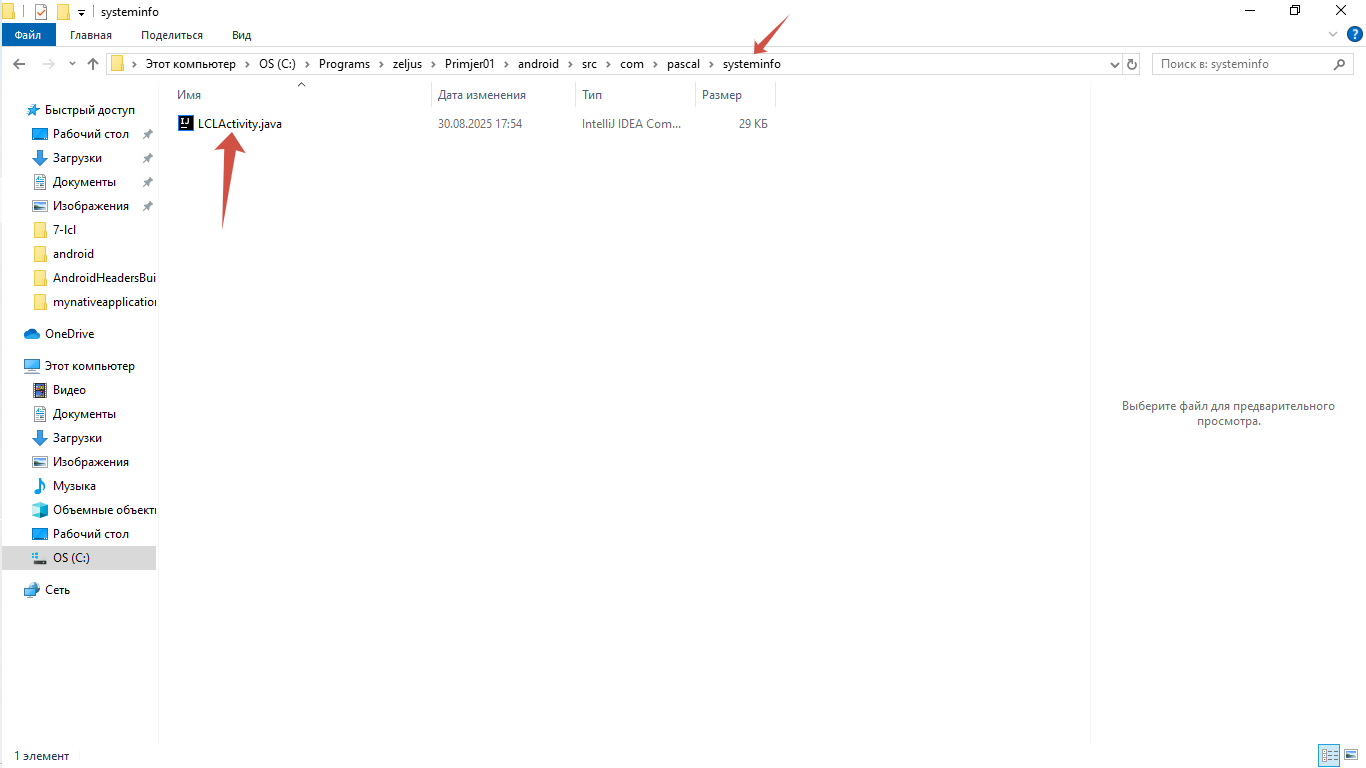
The Java launcher for Android Main Activity is named LCLActivity.java
To load the library .so when Android app is starting.   
LCLActivity.java is placed in the directory C:\Programs\zeljus\Primjer01\android\src\com\pascal\systeminfo

I found out that it is required to run the file named "build_debug_apk.bat".
In the directory C:\Programs\zeljus\Primjer01\android

To build debug apk it is required to put library .so file named liblclapp.so in directory "libs".

The directory "libs" is empty.

Anybody, please, tell me where is the liblclapp.so?

Or, maybe I could use my own .so file if I change the library name to load in LCLActivity.java? 

In case I can use my own library, what Pascal code I need to put in my library? 


Please Log in or Create an account to join the conversation.

Last edit: by Ak.Saharov. Reason: Forgot to add screenshot

I have found ready to use solution on how to pack the application to *.APK file. 7 months 3 days ago #19158

  • Ak.Saharov
  • Ak.Saharov's Avatar Topic Author
  • Offline
  • Junior Member
  • Junior Member
  • Posts: 54
  • Thank you received: 4
I still want Mr. ex-Pilot to answer my questions. About library for the sample template of Android application. Or maybe he's already Mr. Dead Pilot?

Please Log in or Create an account to join the conversation.

I have found ready to use solution on how to pack the application to *.APK file. 3 months 2 weeks ago #19319

  • Ak.Saharov
  • Ak.Saharov's Avatar Topic Author
  • Offline
  • Junior Member
  • Junior Member
  • Posts: 54
  • Thank you received: 4
I have found library I mentioned above in Laz4Android 1.4.4 (folder Examples).

Then I converted this library project in CT 8.7 with CTC convert utility. 

After that I changed project setting - set new path to Android API 2.3 in CT 8.7.

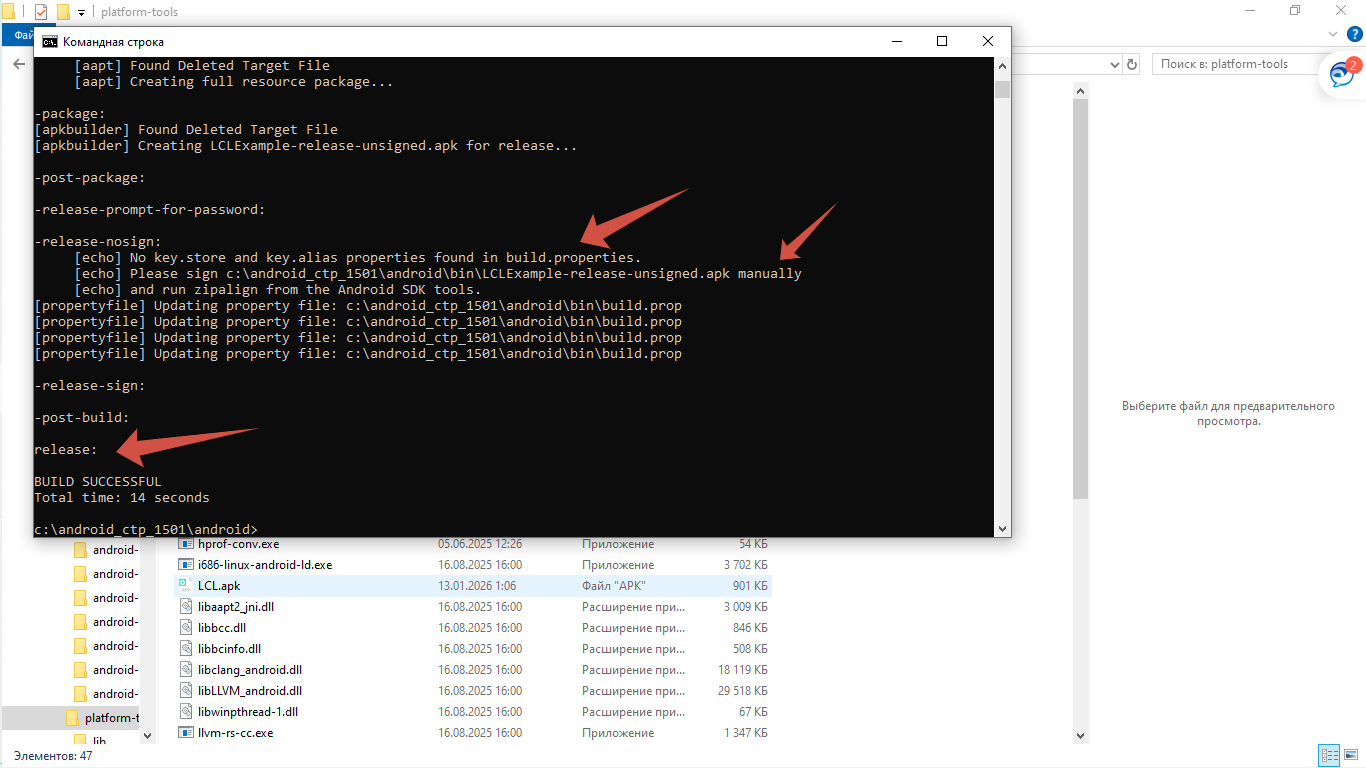
I built the library and create apk with ant utility from Android studio.

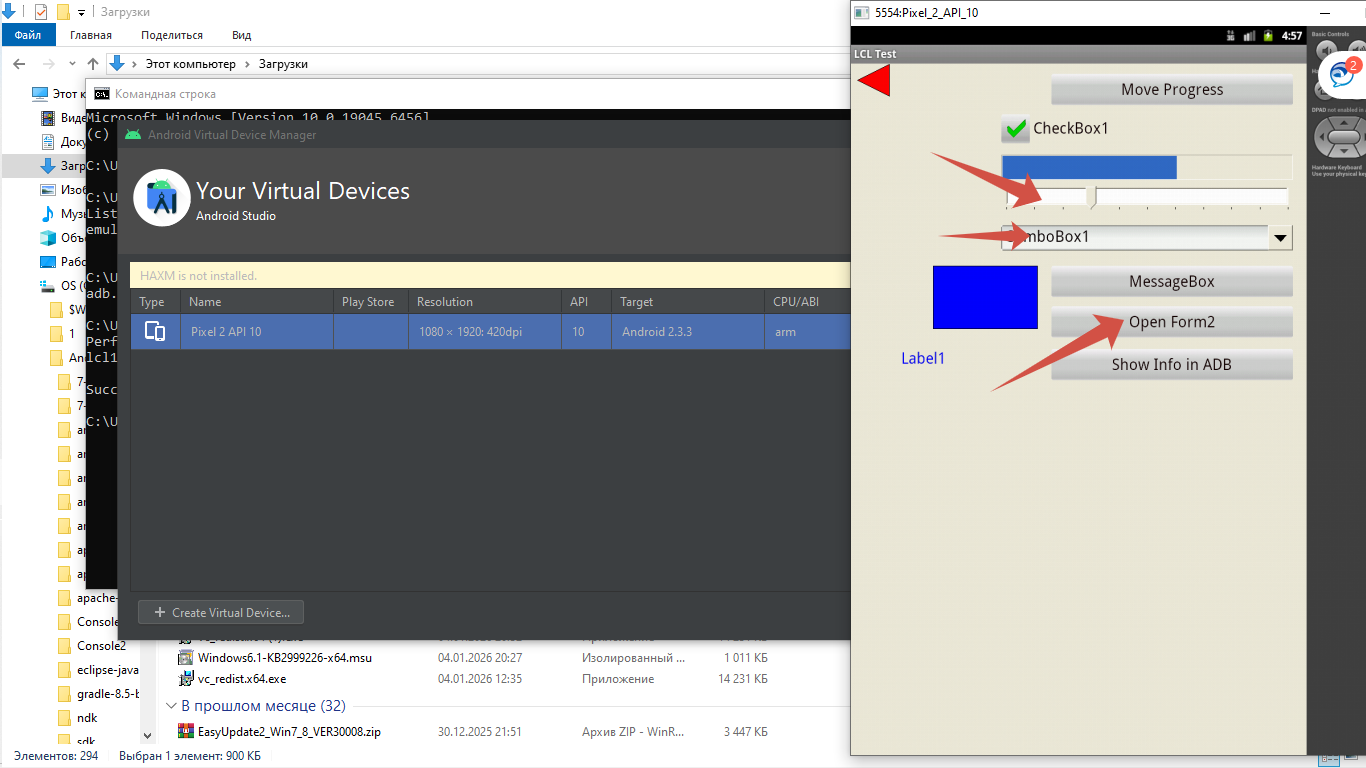
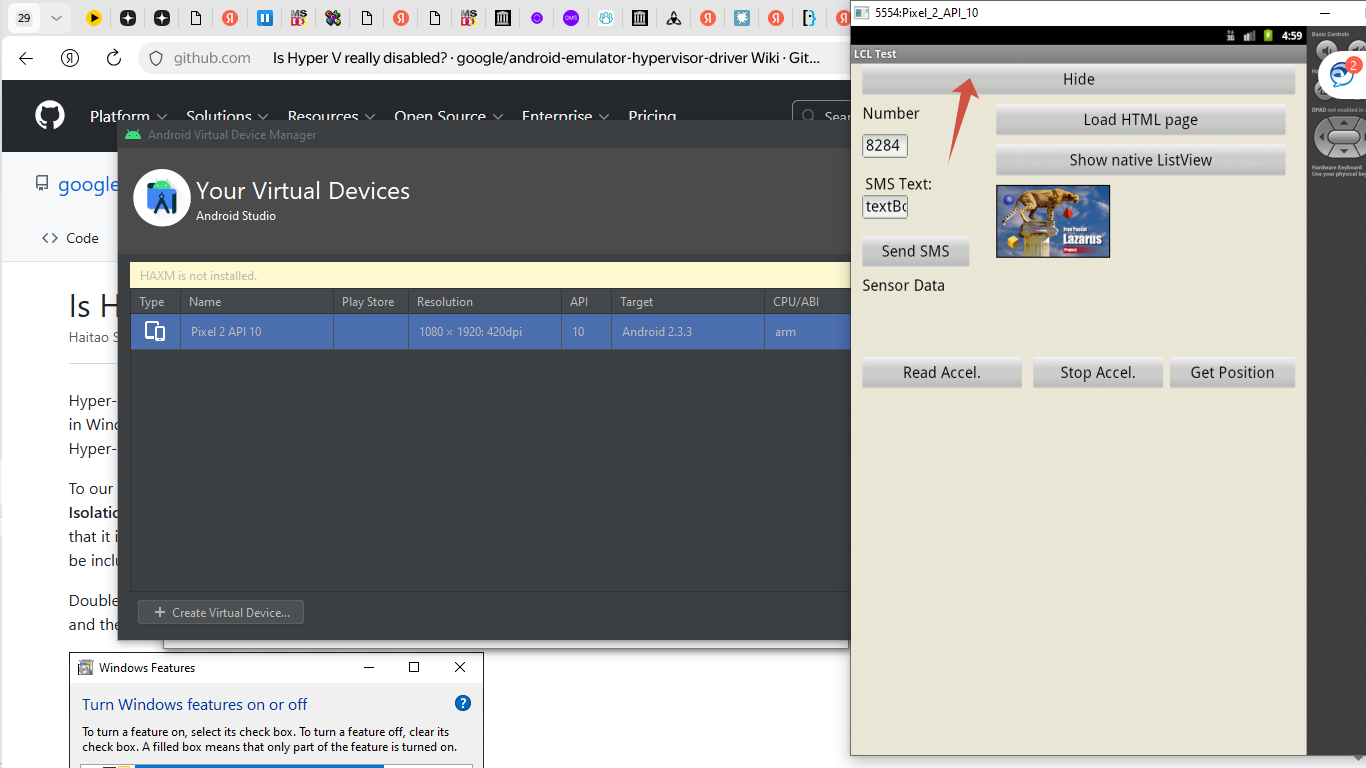
I launched apk in Android Studio Virtual Device with Android 2.3.

Controls on the Forms are clickable. 

There are 2 forms and you can switch from form to form.

More information you can see on the screenshots attached.

Also I have attached the project folder in zip archive for everybody who wants to try.

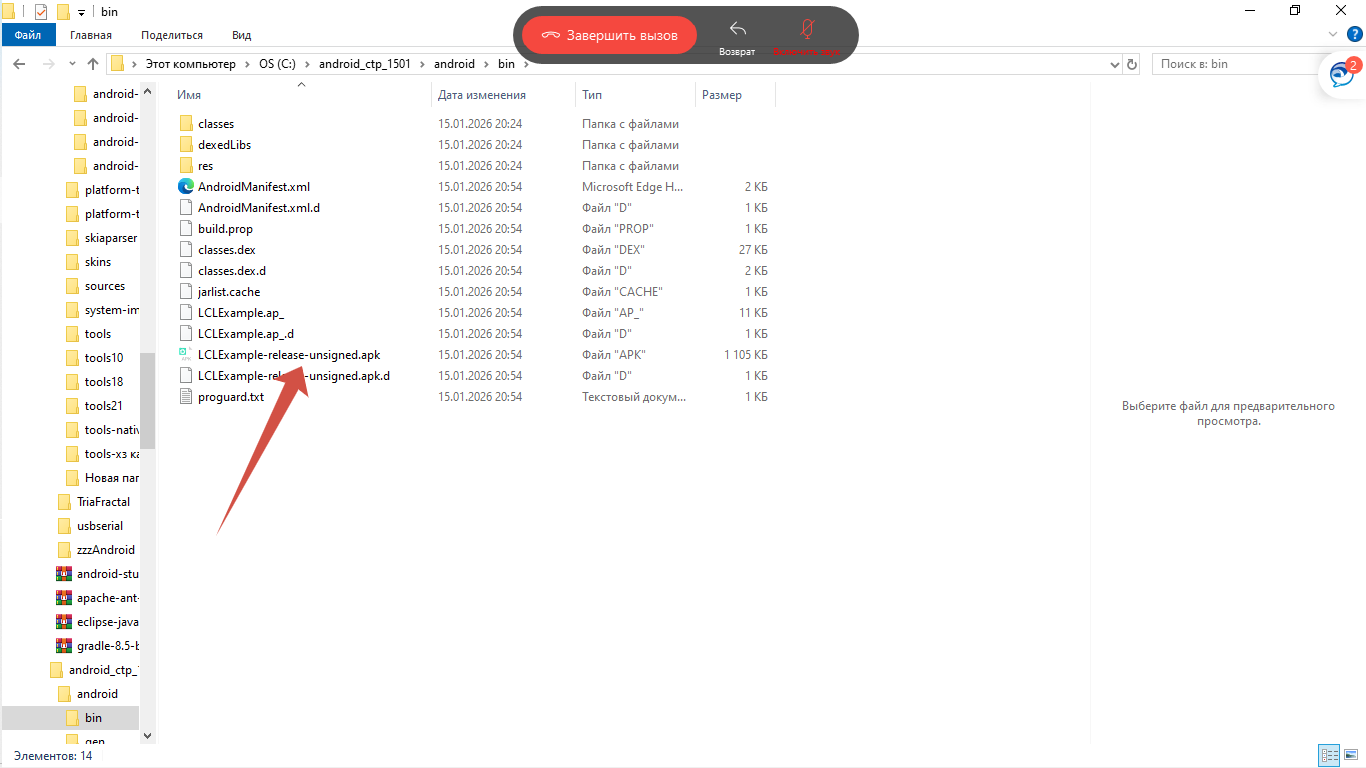
The created apk is in the subfolder android\bin. It is unsigned.

To sign the apk I use MT Manager.


File Attachment:

File Name: android_ctp_1501.zip
File Size:2,531 KB
Attachments:

Please Log in or Create an account to join the conversation.

I have found ready to use solution on how to pack the application to *.APK file. 3 months 2 weeks ago #19320

  • Ak.Saharov
  • Ak.Saharov's Avatar Topic Author
  • Offline
  • Junior Member
  • Junior Member
  • Posts: 54
  • Thank you received: 4
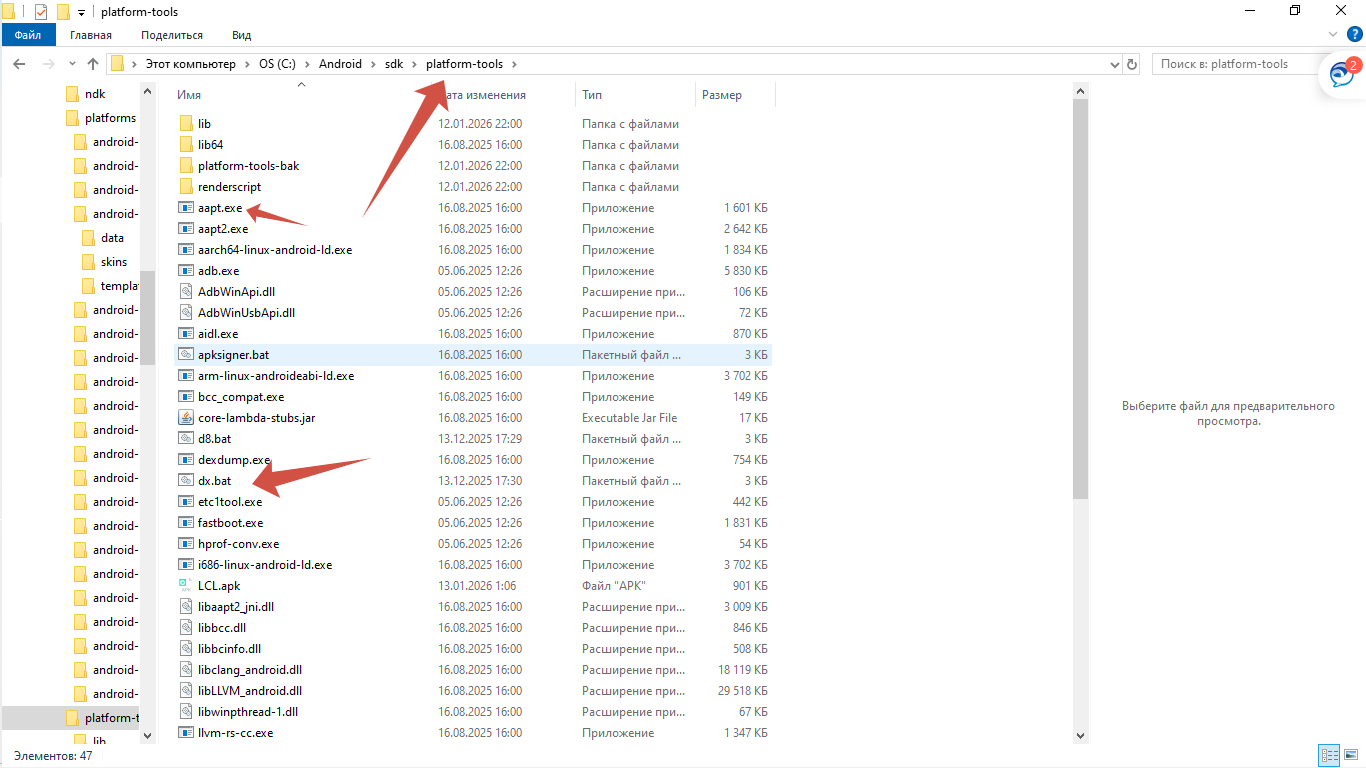
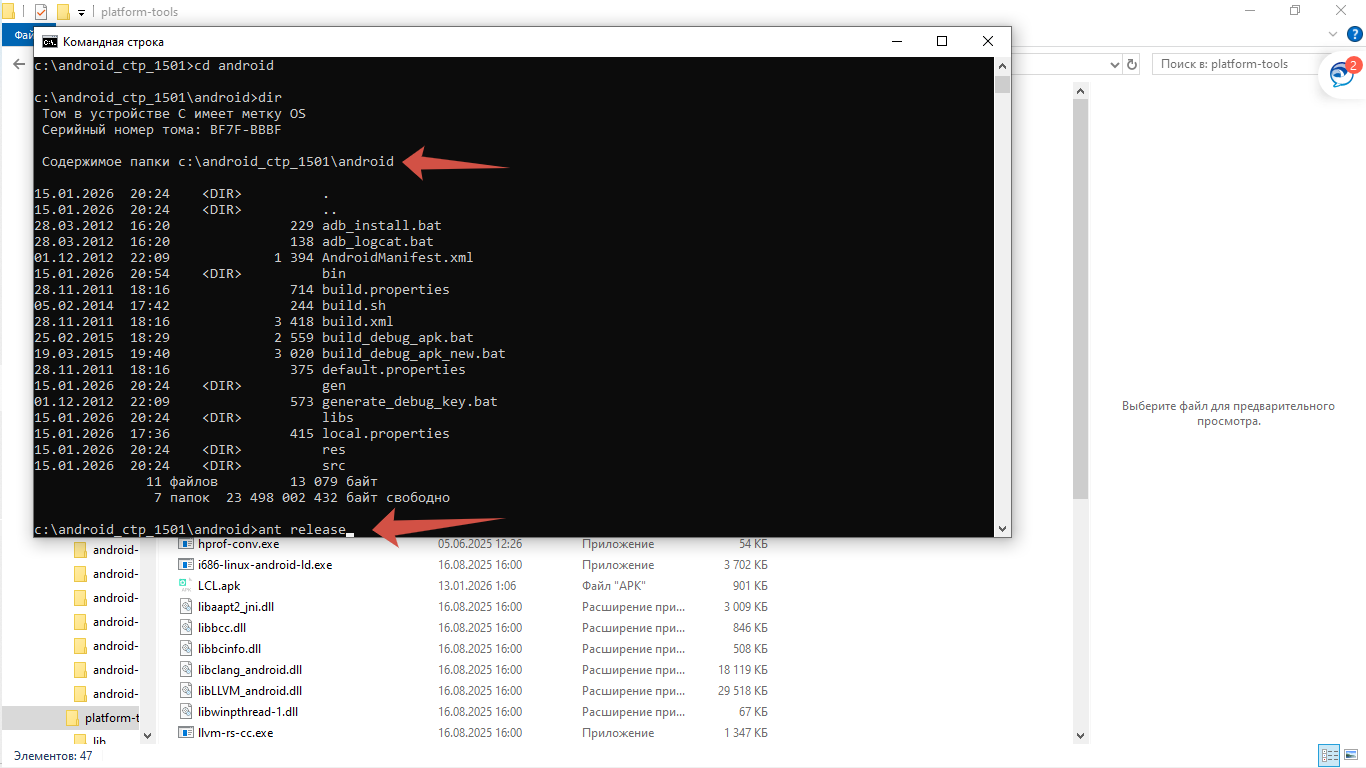
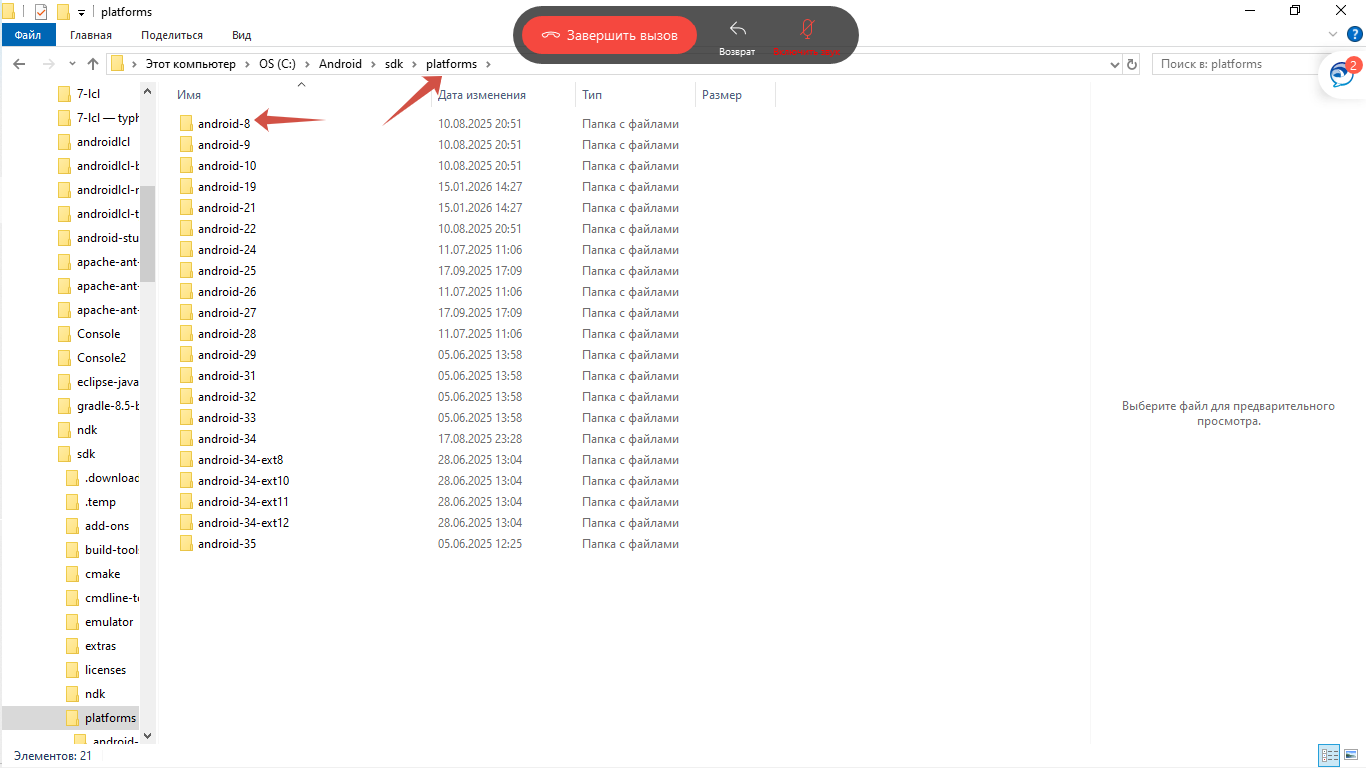
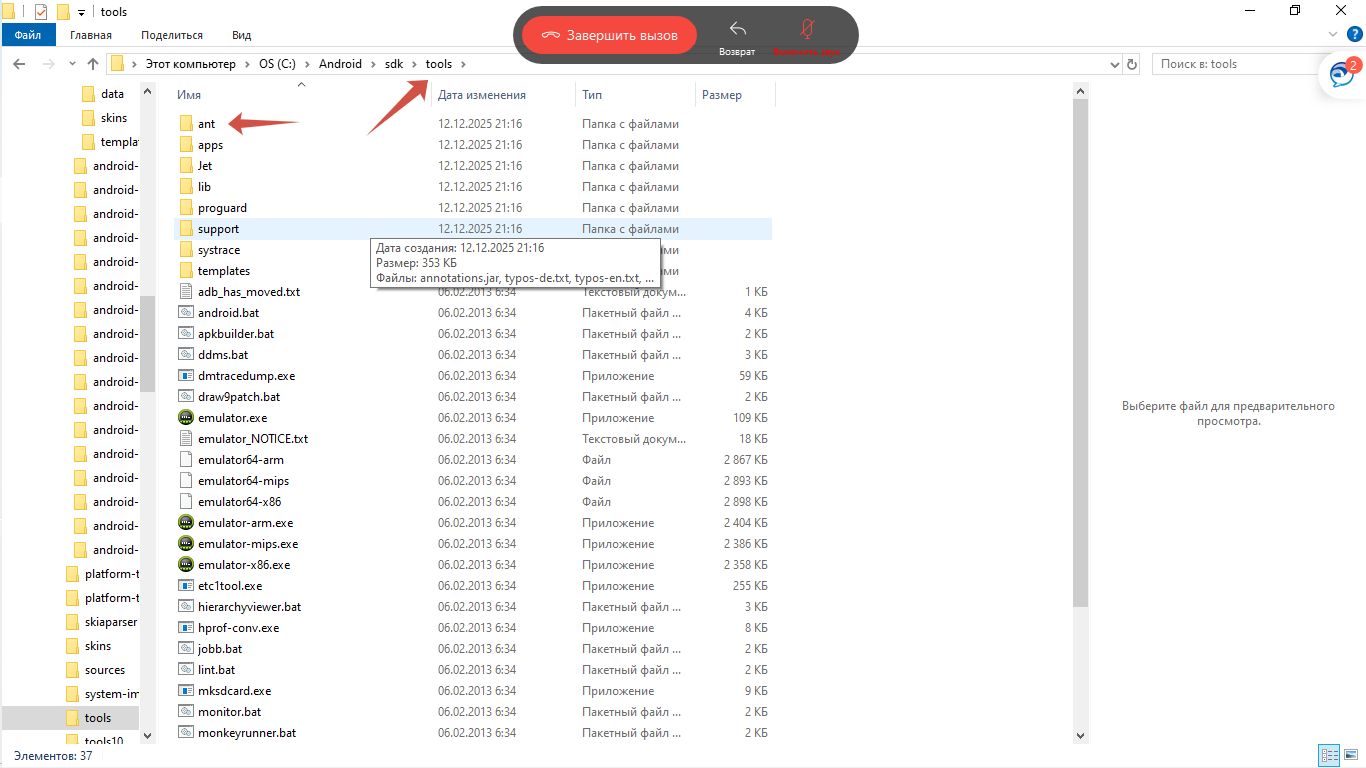
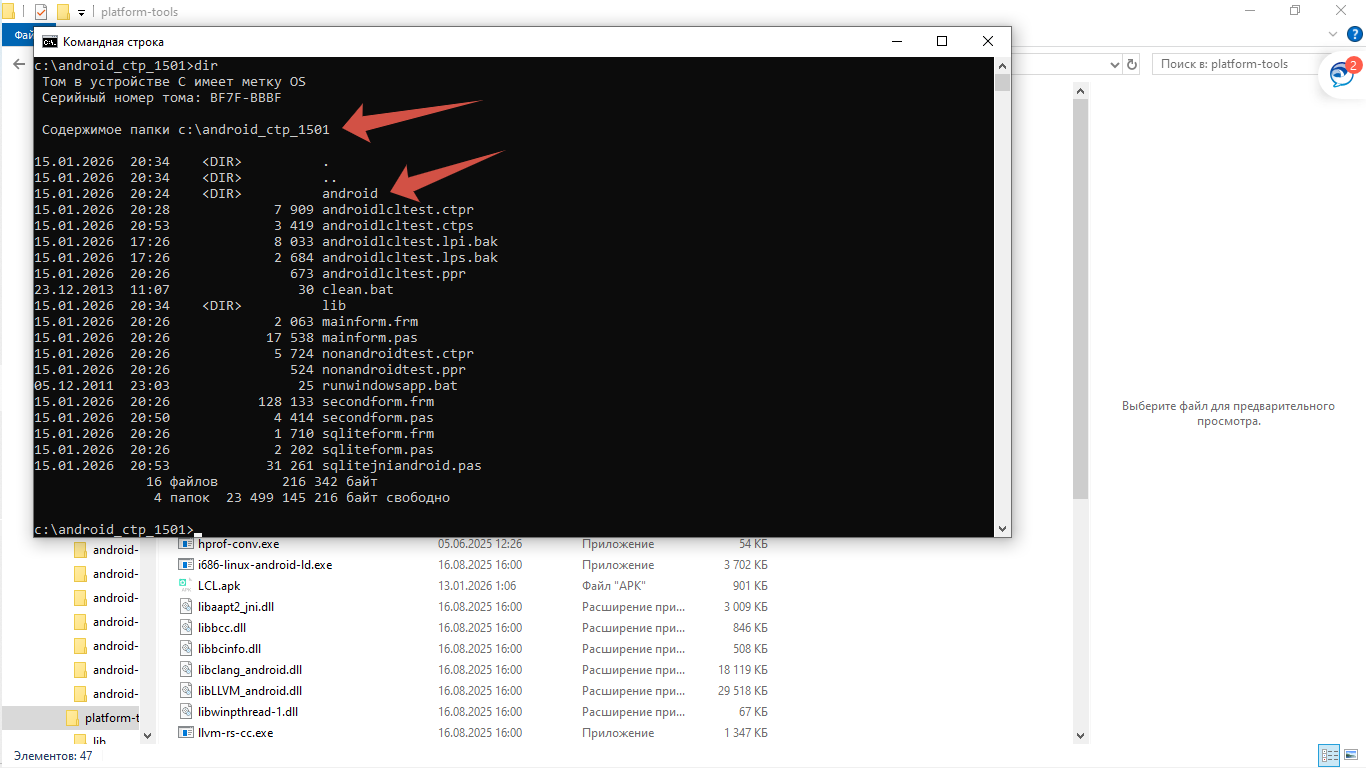
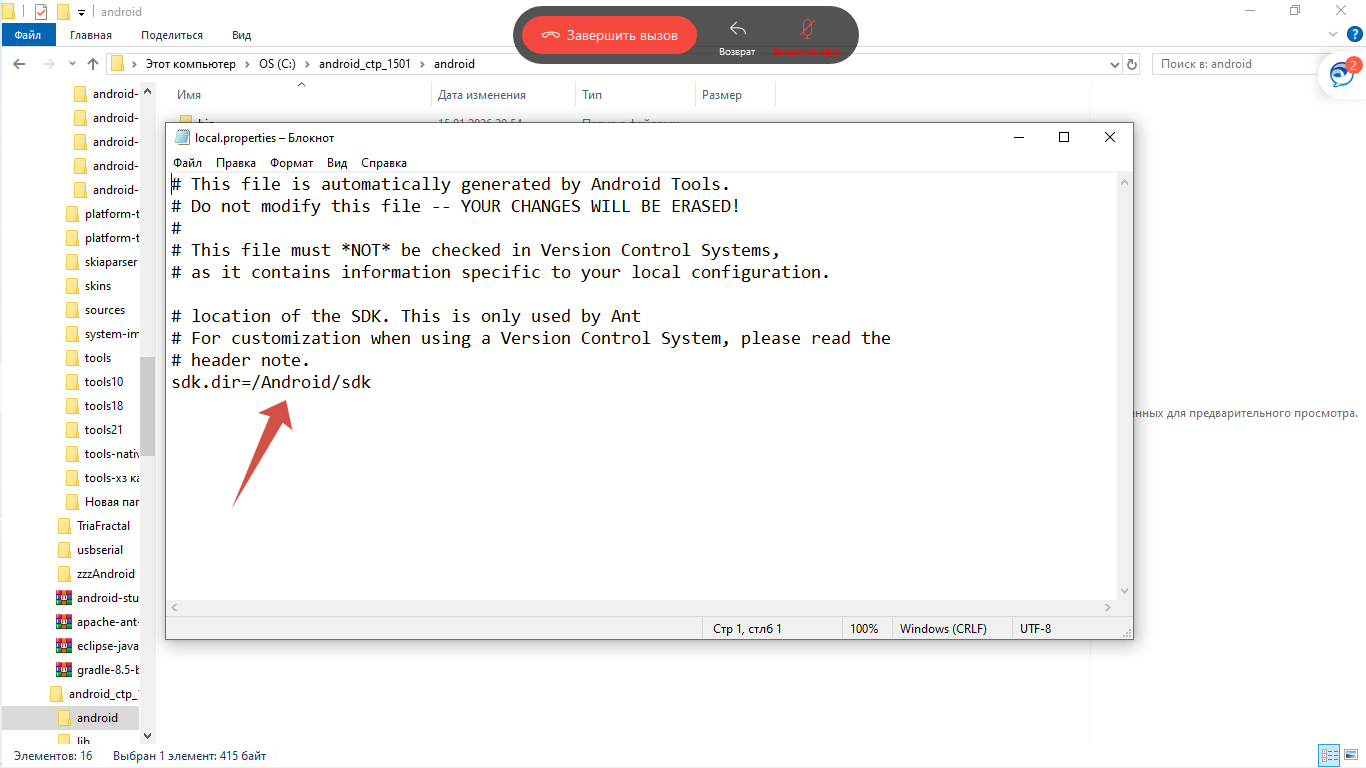
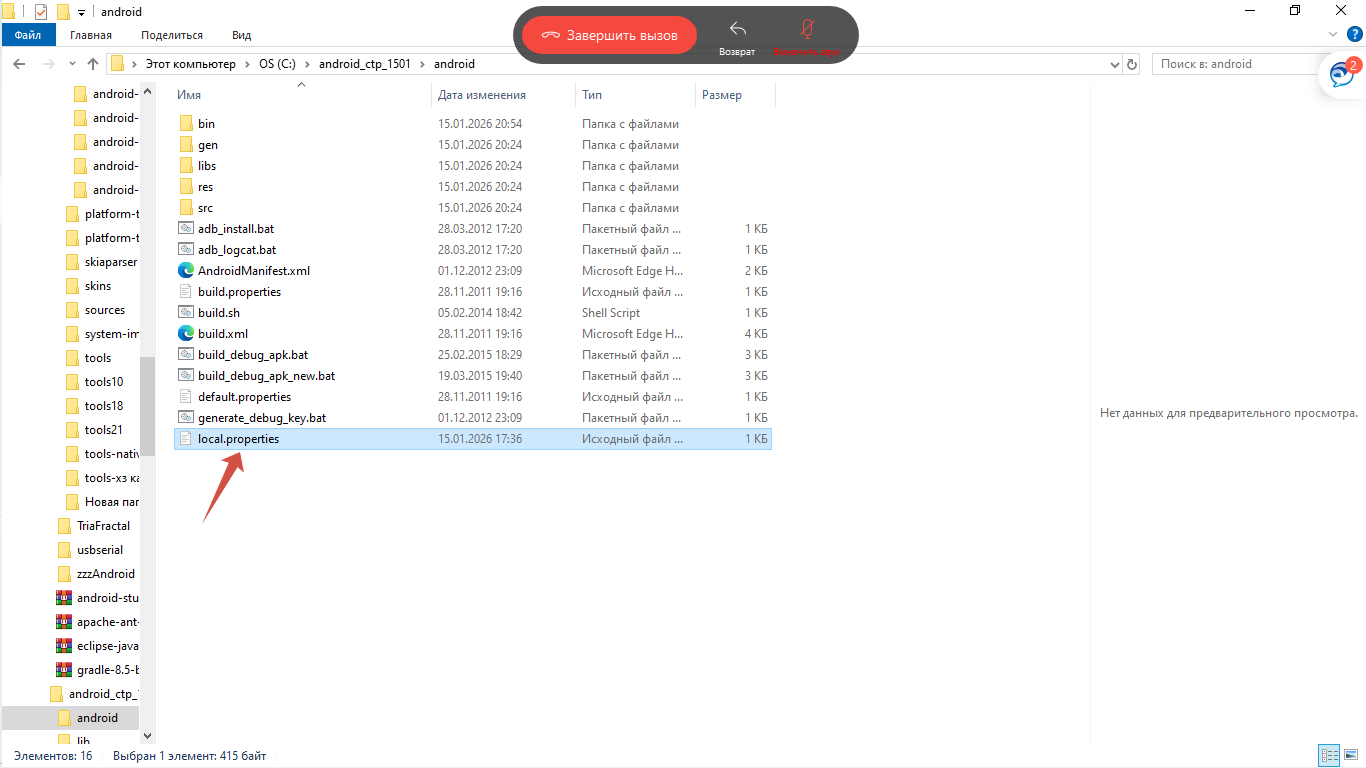
If someone is interested to upgrade this project for actual Android devices, here is road map:

1. Install Android Studio - version with "ant" utility.

2. Install suitable platforms in Android studio.

3. Install Java 17.

4. Unzip archive on drive in root. I did it on C:\ 

Otherwise check the project setting (first of all check the path to compiled library).

5. Make suitable path in OS system variables to java, ant and etc. 

6. Go to project folder

7. Open subfolder \android

8. Check the path in files local.properties and default.properties.

9. Open cmd terminal and go to project folder into subfolder "android".

10. Run command in terminal - ant release (from subfolder android).

11. The created apk is in the subfolder android\bin. It is unsigned.

12. To sign the apk use any suitable Manager. I use MT Manager.

13. Create Android Virtual Device or use the smartphone with Android to test.

14. Use adb utility to install apk into Android Virtual Device.


More information you can find on the screenshots attached.

 
Attachments:

Please Log in or Create an account to join the conversation.

I have found ready to use solution on how to pack the application to *.APK file. 3 months 2 weeks ago #19321

  • Matis A.
  • Matis A.'s Avatar
  • Away
  • Moderator
  • Moderator
  • Posts: 1390
  • Thank you received: 219
Thanks Sir
PilotLogic Core Programmer

Please Log in or Create an account to join the conversation.

I have found ready to use solution on how to pack the application to *.APK file. 22 hours 33 minutes ago #19531

  • Ak.Saharov
  • Ak.Saharov's Avatar Topic Author
  • Offline
  • Junior Member
  • Junior Member
  • Posts: 54
  • Thank you received: 4
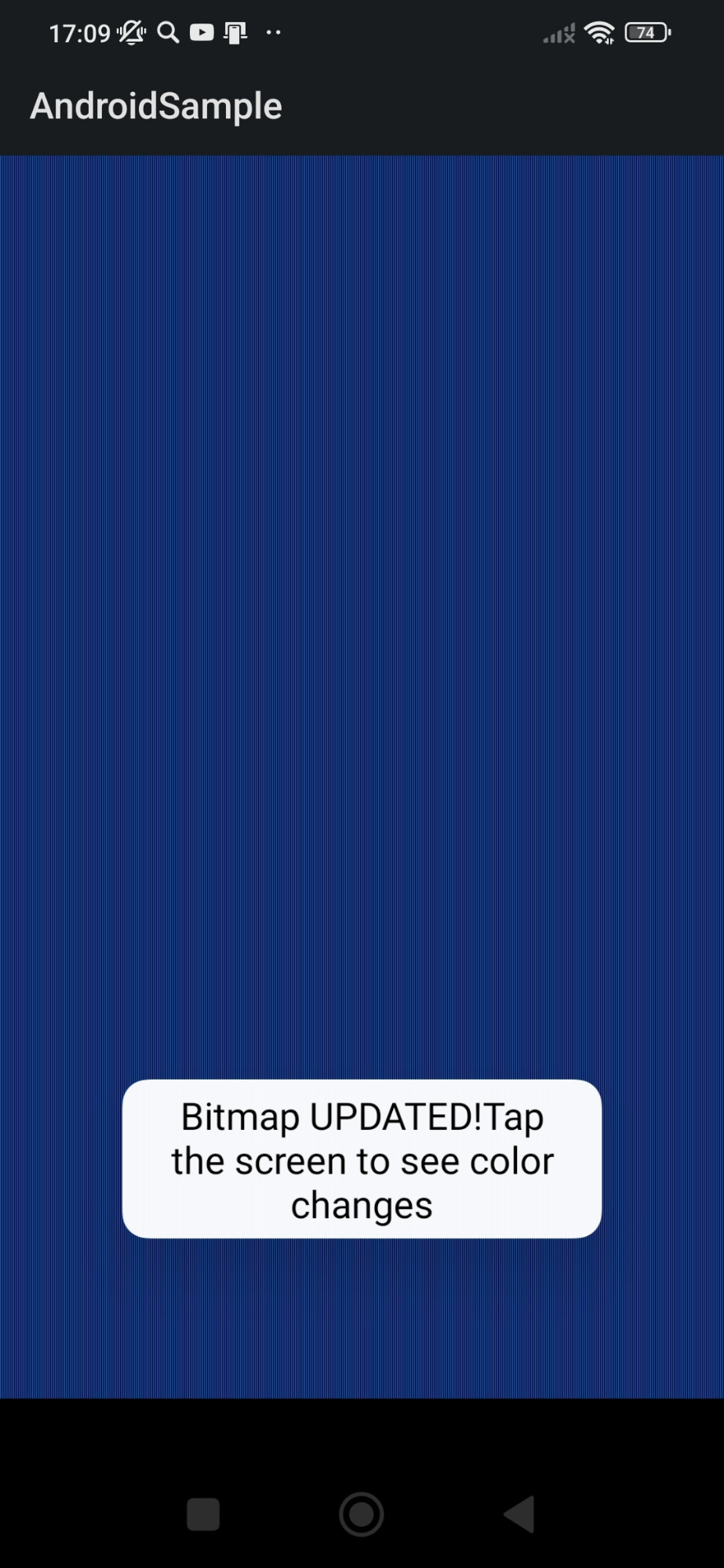
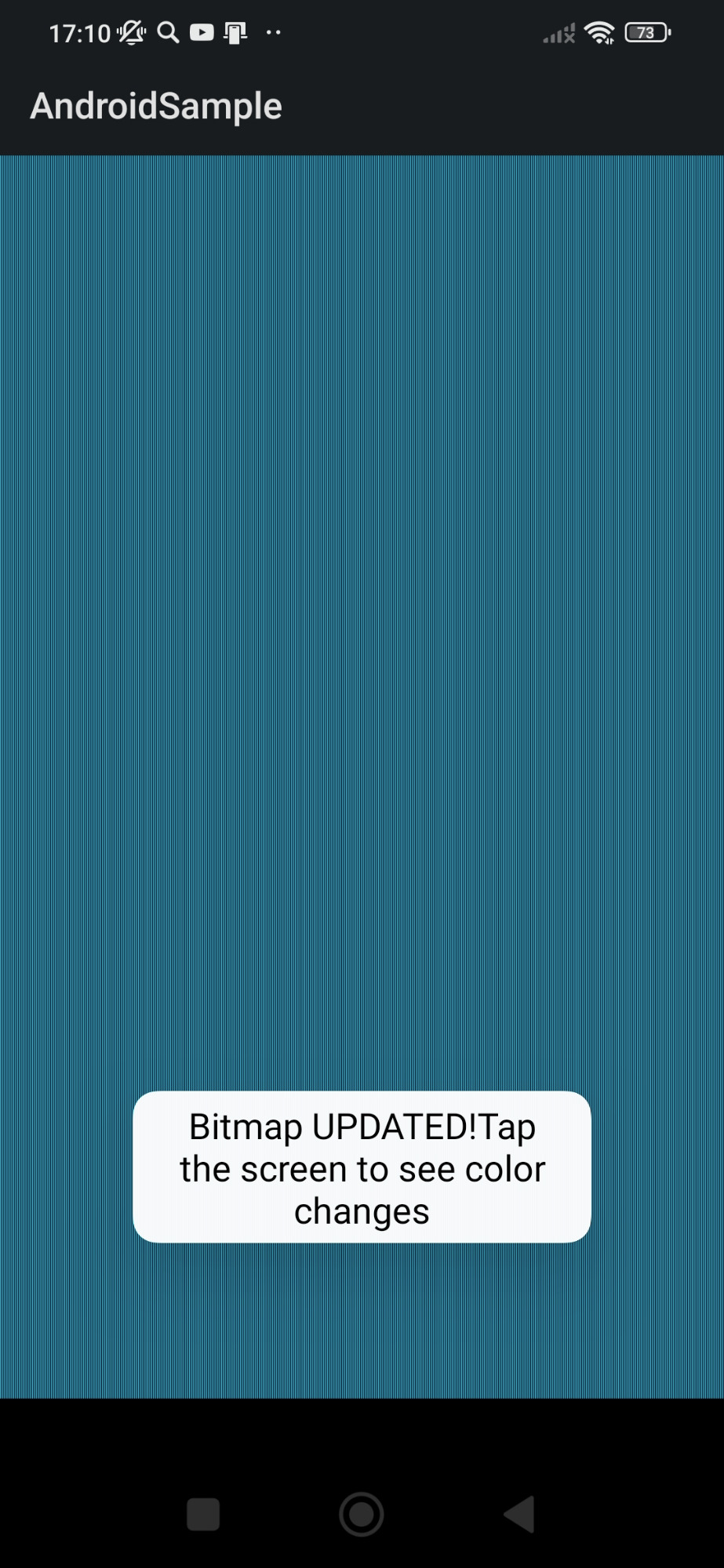
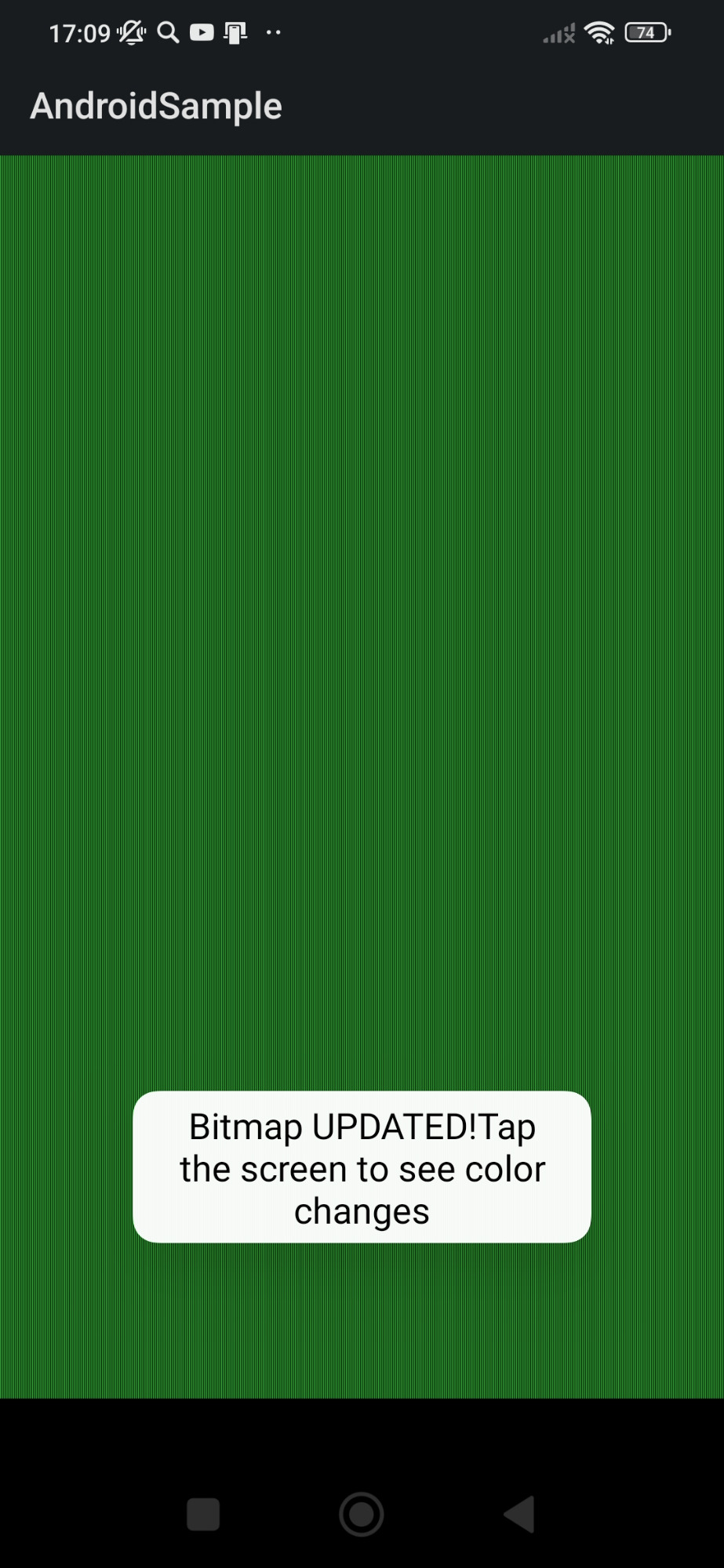
To demonstrate main idea of the Lazarus example for Android mentioned above I have created the NEW app.

The main idea in a few words:

The Pascal form is updated and repainted on the Java Bitmap every time the user taps the screen of smartphone. 


Please, launch the demonstration app, tap the screen to see how the color changes.
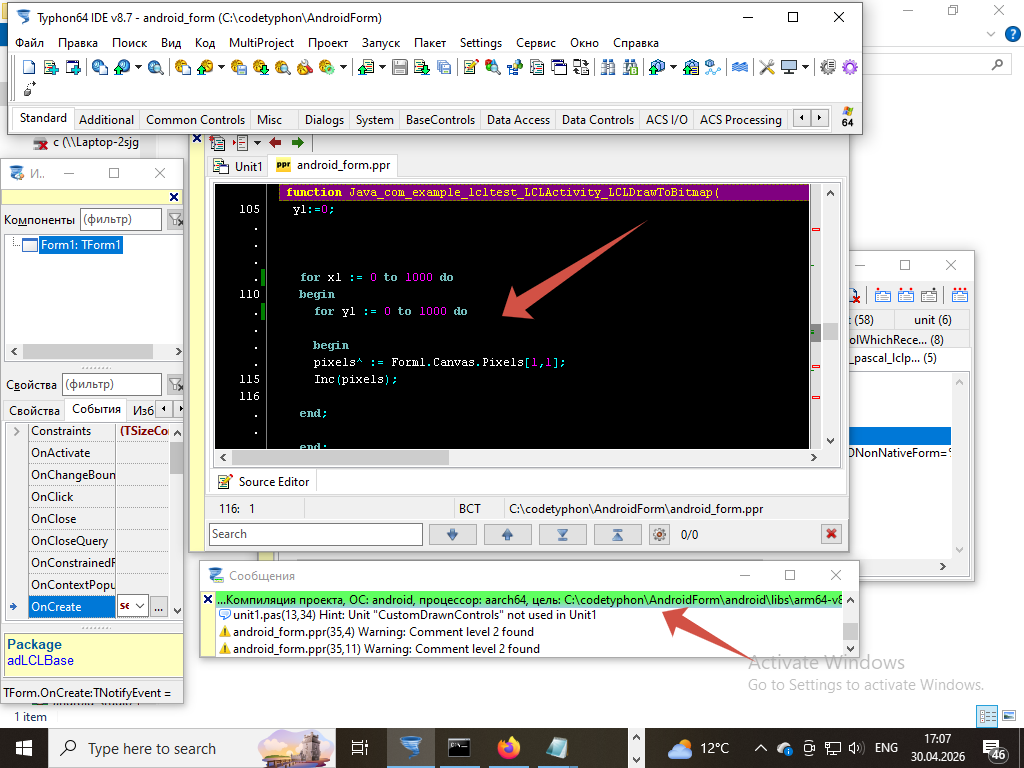
Screenshots attached.


Form1 is visual component itself. And color changes of Form1.Canvas - for to keep it simple.

See Form1.OnCreate procedure - setcolor;

Of course, it could be any other visual component painted on the Form, like TButton, for example.


The app was built with "ant" utility. See my post #19320.
 
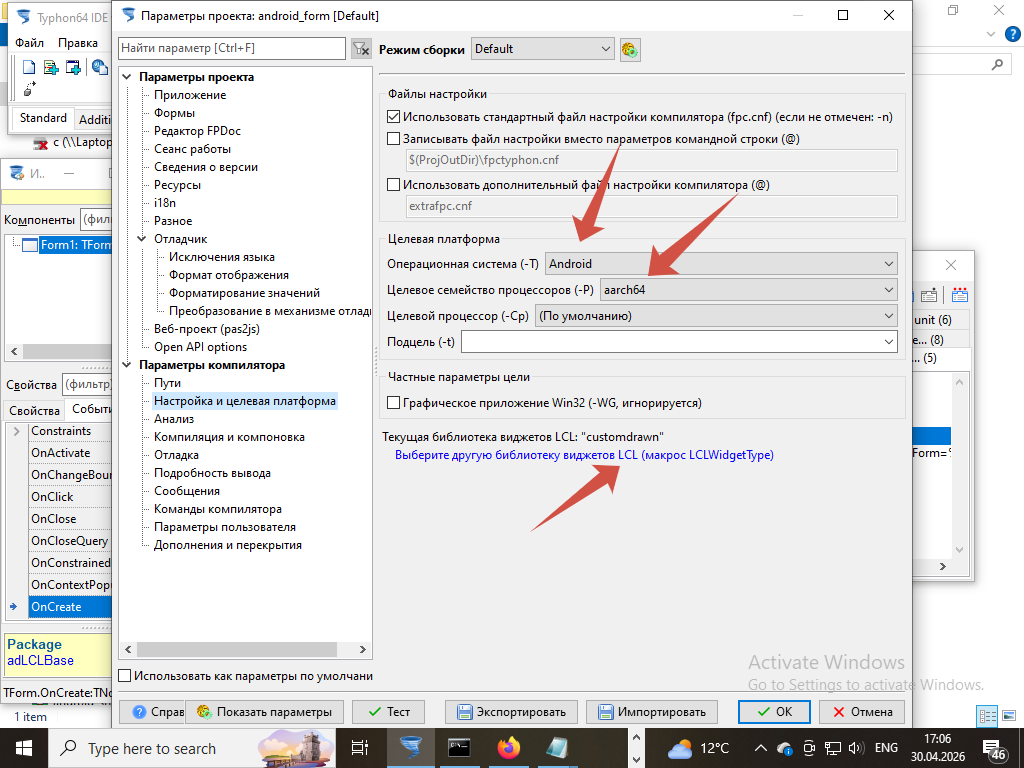
For Android 9. Aarch64.

It is possible to launch and use the app on Android 10 and 12 as well.

The project is attached in zip-file (WinRar). CodeTyphon 8.7.

Because of the size limit for uploaded file I have deleted native library from project.
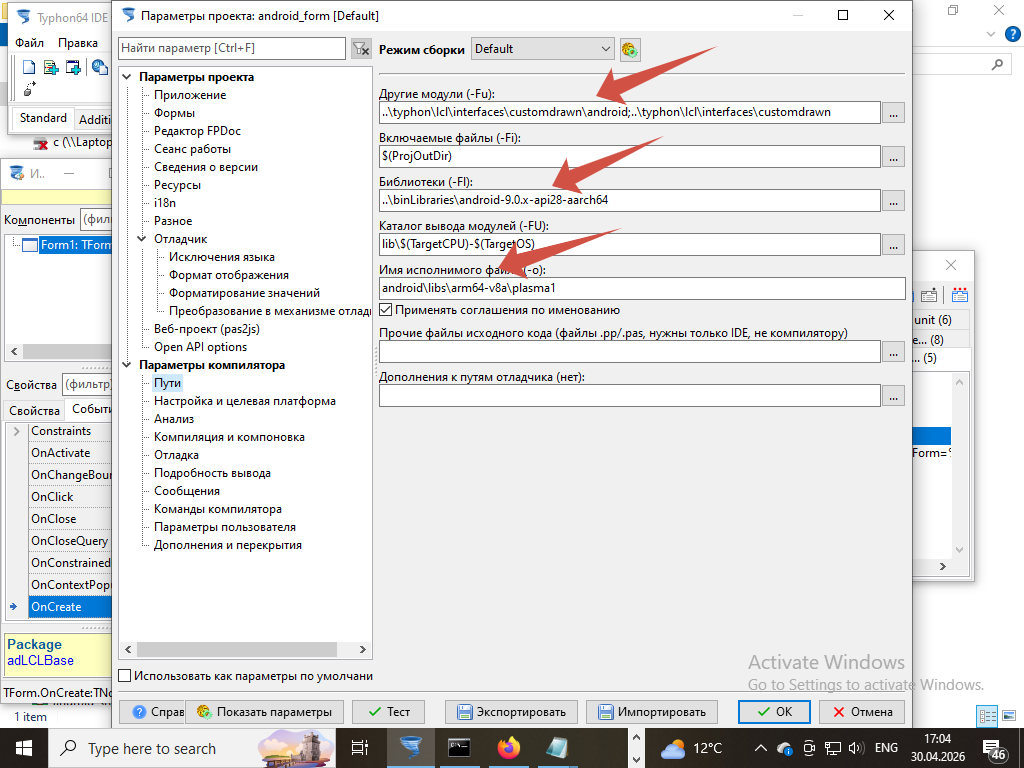
Please, check project setting and build it again.

Ready to use APK is attached too.
But with apk extension I failed to upload it. Please remove extension zip and sign it (I use MT Manager).

More comments - in Java launcher file
\src\com\example\lcltest\LCLActiv.java

In case of your smartphone screen mismatched to the attached screenshots modify for .. to.. cycles inside library function Java_com_example_lcltest_LCLActivity_LCLDrawToBitmap;


File Attachment:

File Name: AndroidForm.zip
File Size:1,365 KB

File Attachment:

File Name: AndroidSam....apk.zip
File Size:4,768 KB
Attachments:

Please Log in or Create an account to join the conversation.

I have found ready to use solution on how to pack the application to *.APK file. 22 hours 24 minutes ago #19532

  • Ak.Saharov
  • Ak.Saharov's Avatar Topic Author
  • Offline
  • Junior Member
  • Junior Member
  • Posts: 54
  • Thank you received: 4
Here is the main idea in details: 

1. The bitmap is created inside Java launcher. It is Java object;
More information in java file (\src\com\example\lcltest\LCLActiv.java inside project);


2. Java bitmap is passed as argument inside Pascal library function;
More information in Java_com_example_lcltest_LCLActivity_LCLDrawToBitmap(env:PJNIEnv;this:jobject; width, height: jint; abitmap: jobject):jint; cdecl;    

The Form1 and all visual components (buttons and etc) are painted on the Java bitmap;

To keep it simple in my project only the color of Form1.Canvas.Pixel is changing.

4. The OnTouch event is also declared in Java launcher.

5. When user touches the screen of smartphone the Event OnTouch occurs.

6. The EventOntouch is dispathed by another function of native Pascal library;

function Java_com_example_lcltest_LCLActivity_LCLOnTouch(env:PJNIEnv;this:jobject; x, y: single; action: jint): jint; cdecl; 

  
7. In my project event dispatching is very simple - no matter what X and Y coordinates.

In original LCL project event dispatching is provided by these functions, where X and Y - coordinates of the screen where OnThouch Event happened.  

CallbackMouseDown(lCurForm, Round(X), Round(Y), mbLeft, []); 

CallbackMouseUp(lCurForm, Round(X), Round(Y), mbLeft, []); 

CallbackMouseMove(lCurForm, Round(X), Round(Y), []);

For Pascal Form it looks like mouse click on the visual component.

But, first of all, it is required to search for component by X,Y coordinates on the Pascal Form.
For to get handle of the component and pass the handle to event dispatching procedure. 

See the details inside these functions.
unit customdrawnprivate.pas 


8. After dispatching the OnTouch Event it is required to update and repaint Form and all of its components on the Bitmap again;

To keep it simple in my project I have overided the LCLOnTouch function.

That is why in my project only the color of Form1.Canvas.Pixel is updated. 


9. LCLOnTouch returns result into Java dispatcher of OnTouchEvent, 

then Java function Postinvalidate starts and screen of smartphone reDraw,

using the same Bitmap object that is already updated to changes on Pascal Form; 


For more information see Java file (\src\com\example\lcltest\LCLActiv.java inside project);


Please Log in or Create an account to join the conversation.

I have found ready to use solution on how to pack the application to *.APK file. 22 hours 18 minutes ago #19533

  • Ak.Saharov
  • Ak.Saharov's Avatar Topic Author
  • Offline
  • Junior Member
  • Junior Member
  • Posts: 54
  • Thank you received: 4
Some comments about function which are loaded in Java launcher file:

1. The name of native library - plasma1.so. It is attached in zip-file. Please, unzip and place it in folder \libs\arm64-v8a.

2. All other libraries enumerated and loaded in Java file are required to work the native library properly.
Do not delete.


Some comments about the names of exported function, for example, 
this function - Java_com_example_lcltest_LCLActivity_LCLDrawToBitmap:

1.     com_example_lcltest - name of Java package;

2.     LCLActivity - name of class in Java package, were the function is used;

3.     LCLDrawToBitmap - name of function;


Some comments about the names of Java package and Main Activity:

1.    In case of changes in the names of Java package and Main Activity do not forget to change them in Manifest file as well;

2.    The name of Java package and path to the package inside project folder (\com\example\lcltest) should match;


File Attachment:

File Name: libplasma1.zip
File Size:4,751 KB

 
Attachments:

Please Log in or Create an account to join the conversation.

I have found ready to use solution on how to pack the application to *.APK file. 22 hours 15 minutes ago #19534

  • Ak.Saharov
  • Ak.Saharov's Avatar Topic Author
  • Offline
  • Junior Member
  • Junior Member
  • Posts: 54
  • Thank you received: 4
To learn more about original versions of functions see these units:

folder \codetyphon\typhon\lcl\interfaces\customdrawn

1. customdrawnobject_android.inc  

Java_com_example_lcltest_LCLActivity_LCLDrawToBitmap(env:PJNIEnv;this:jobject; width, height: jint; abitmap: jobject):jint; cdecl;    

UpdateControlLazImageAndCanvas(Form1.Image, Form1.Canvas, Width, Height, clfRGB16_R5G6B5, pixels, True, False);

RenderForm(Form1.Image, Form1.Canvas, Form1); 

Java_com_pascal_lclproject_LCLActivity_LCLOnTouch(env:PJNIEnv;this:jobject; x, y: single; action: jint): jint; cdecl; 


2.customdrawnprivate.pas

procedure CallbackMouseUp(AWindowHandle: TCDForm; x, y: Integer; Button: TMouseButton; ShiftState: TShiftState = []);

procedure CallbackMouseDown(AWindowHandle: TCDForm; x, y: Integer; Button: TMouseButton; ShiftState: TShiftState = []);

procedure CallbackMouseMove(AWindowHandle: TCDForm; x, y: Integer; ShiftState: TShiftState = []);   


To paint Pascal Form to Bitmap there are many solutions.
See wiki.lazarus.freepascal.org/Fast_direct_..._access#Draw_methods 


Please Log in or Create an account to join the conversation.

I have found ready to use solution on how to pack the application to *.APK file. 19 hours 48 minutes ago #19535

  • Matis A.
  • Matis A.'s Avatar
  • Away
  • Moderator
  • Moderator
  • Posts: 1390
  • Thank you received: 219
Thanks Sir
PilotLogic Core Programmer

Please Log in or Create an account to join the conversation.

  • Page:
  • 1